
Reactor Registry Editor vs. regedit: Which Windows 11 Registry Tool Should You Use? | ItInsightsWorld General
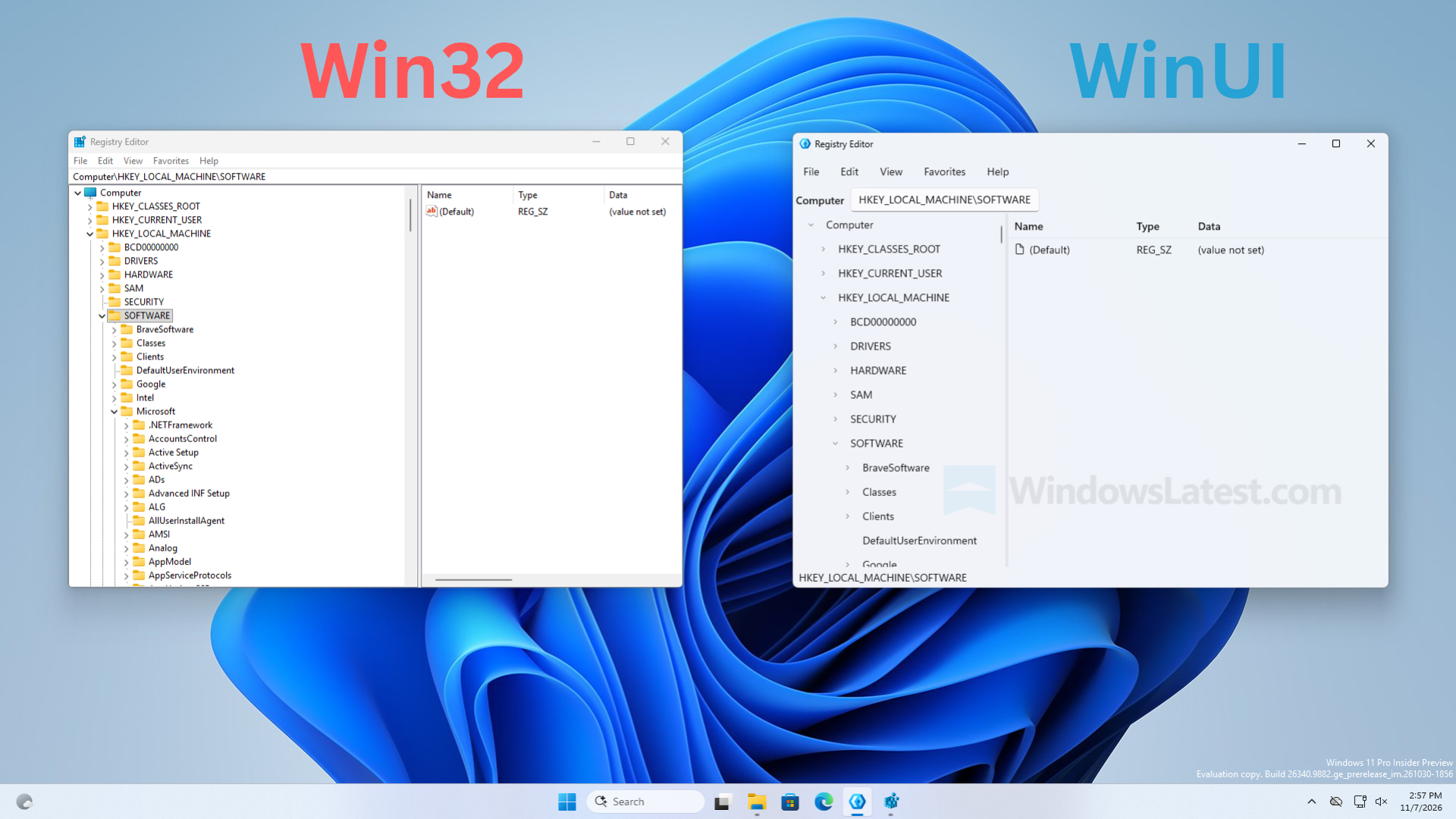
Short answer: neither tool replaces the other today. The Reactor Registry Editor — a WinUI 3 sample published inside Microsoft's open-sourced Microsoft.UI.Reactor repository — genuinely reads and writes the live Windows registry and looks like a 2026 application. It still cannot import .reg files, keep favorites or edit permissions, so regedit.exe stays the practical pick for daily system work, while the Reactor build belongs in a test machine.
That distinction matters because most coverage frames this as "Microsoft finally retires the Windows 95 interface." The more useful question for anyone who touches the registry — IT staff, power users, .NET developers — is which tool actually completes the job you are doing. Below is a side-by-side read of the sample, the built-in editor and the command-line options, plus a decision checklist you can apply today.
What Microsoft actually published — and what it did not
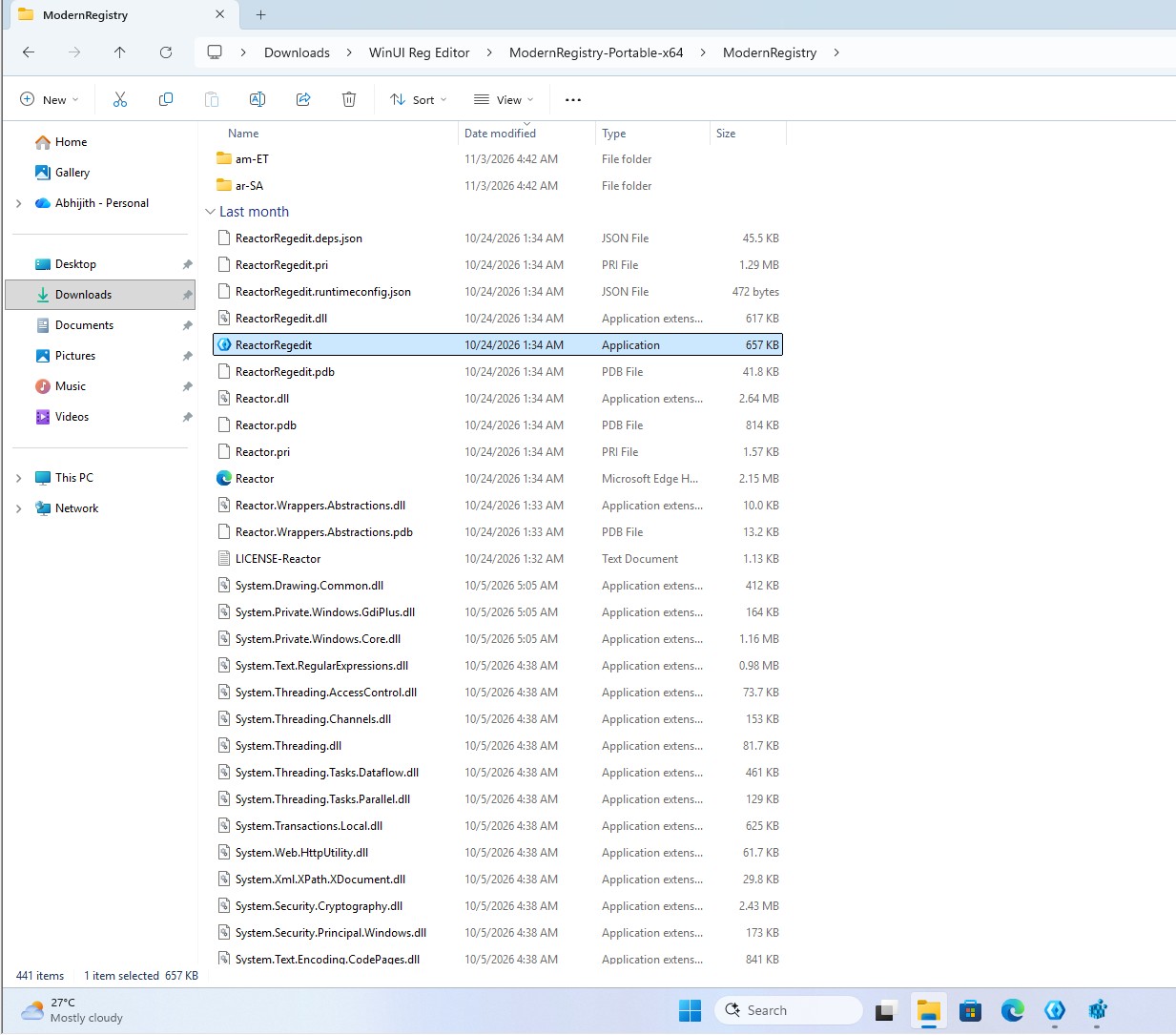
The application is not a promised feature of Windows 11. It is a developer sample that sits in the Microsoft.UI.Reactor code repository, the same repo Microsoft uses to demonstrate an experimental framework. Tech outlet Windows Latest downloaded the source, compiled it and ran it on Windows 11 Build 26340.9882, publishing its hands-on on November 8, 2026. Result: this is a working native app, not a mock-up.
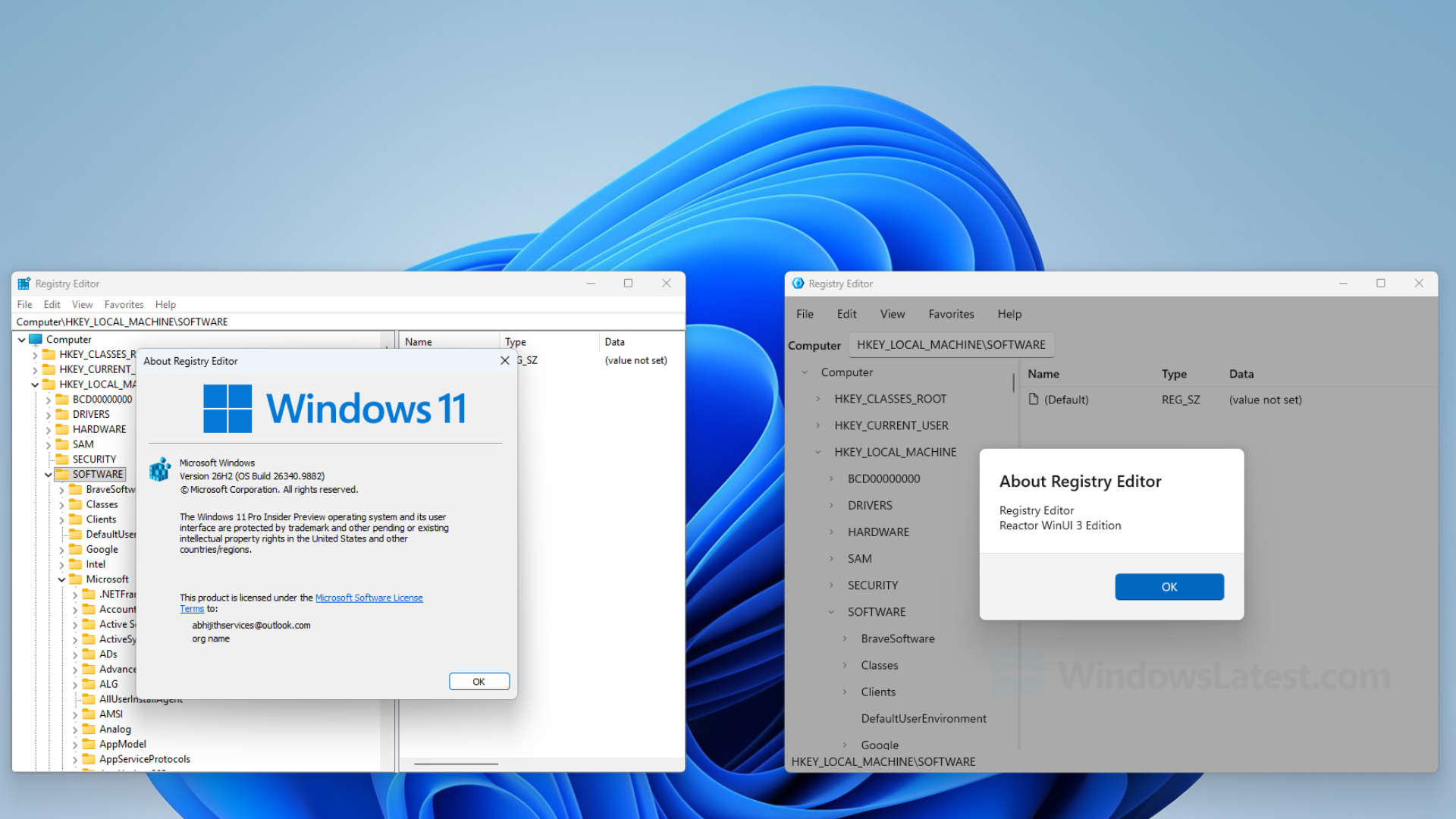
Behaviour in that test was close to what people expect from the classic Registry Editor. Launch was fast and overall responsiveness matched regedit. Expanding HKEY_CLASSES_ROOT briefly showed a "Loading..." placeholder before listing keys such as .386, .3gp and .7z. Under HKEY_LOCAL_MACHINE\SOFTWARE the values displayed were consistent with the traditional editor. The help menu's About page labels the program "Registry Editor Reactor WinUI 3 Edition", which rules out a visual skin wrapped around the old binary.
Two facts are worth pinning to the wall before the hype moves on. Microsoft introduced Reactor in an October developer blog post on its #ifdef Windows channel, published October 21, 2026, and the same article mentions the registry sample while promising coverage of related sample apps next month. As of now, there is no announced schedule to put this editor into the operating system.
Three ways to touch the registry: a side-by-side comparison
Conclusion first: the sample wins on presentation and developer interest, the shipped editor wins on completeness, and scripted tools win on repeatability. Microsoft's own documentation for advanced users lists Registry Editor (Regedit.exe or Regedt32.exe), Group Policy and .reg files as the standard ways to modify the registry, alongside command-line tools such as reg.exe and PowerShell providers.
| Dimension | Reactor Registry Editor (WinUI 3 sample) | regedit.exe in Windows 11 | reg.exe / PowerShell |
|---|---|---|---|
| What it is | Open-source sample built with Reactor, MIT-licensed and labelled experimental | Shipped system component | Built-in command-line interfaces |
| Visual design | Windows 11 design language, Mica backdrop, animated menus, roomier spacing | Layout inherited from Windows 95, with the address bar added by the Windows 10 Creator Update | No interface |
| Reads and writes the real registry | Yes, via a dedicated RegistryService class on .NET's Microsoft.Win32 API | Yes | Yes |
| Favorites | Not saved after the app closes | Persistent | Not applicable |
| Import / export | Clipboard only; no .reg file picker; full export covers only HKEY_LOCAL_MACHINE | Full .reg import and export | Scriptable and repeatable |
| Permissions, hive load / unload, network registry, print | Placeholders or unimplemented | Available | Available through other command lines |
| Search | Ctrl+F works on the loaded tree | Mature Find dialog | Filtering in scripts |
| Best fit | Evaluating Reactor, prototyping a modern WinUI front end | Day-to-day troubleshooting and support work | Deployment, audits, fleet management |
If your workflow depends on double-clicking a .reg file, exporting a branch before a risky change or editing a key's ACL, the sample simply cannot replace regedit today. If your workflow depends on how an interface should feel in 2026, the sample is the most interesting reference implementation Microsoft has published this year.
Interface: a Windows 95 layout finally gets modern styling
The redesign is conservative on purpose. Left pane for the key tree, right pane for values, is the arrangement users have navigated since Windows 95; even the address bar introduced with the Windows 10 Creator Update left that split untouched. Yellow folder icons, cramped menus and small fonts survived three subsequent redesigns.
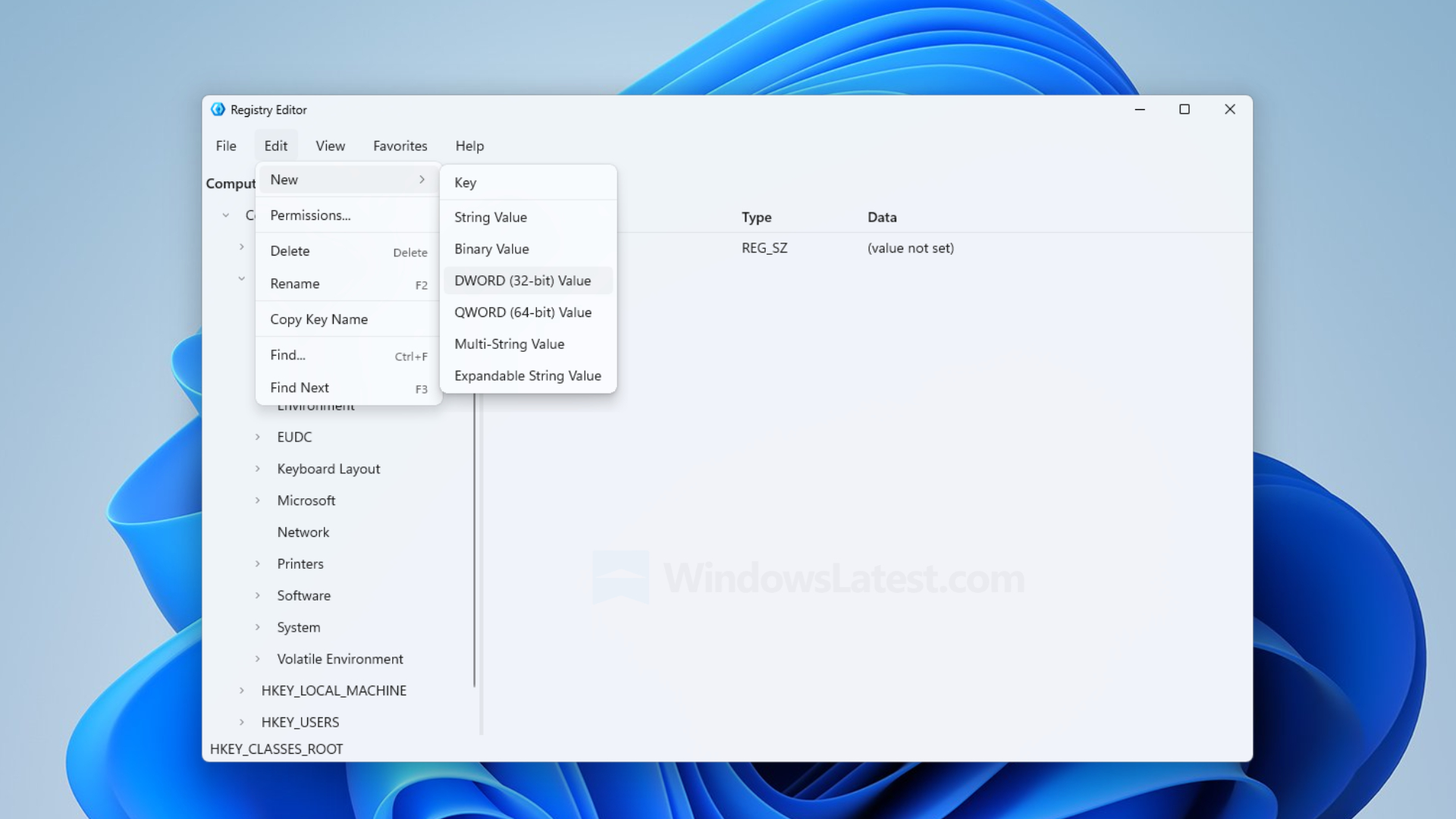
The Reactor build keeps that two-pane logic while changing almost everything around it: wider menu spacing, native WinUI text controls in the address bar, and a new status bar along the bottom of the window that prints the path you are currently sitting on. Reporting from Windows Latest also notes the app follows Windows 11's dark theme, a detail Microsoft has not confirmed in any public specification. For IT operations, preserving the mental model is the point: force power users and help-desk technicians to relearn how to find a key and the upgrade becomes a liability rather than a feature.
Why Reactor matters more than the new look
The editor is a demo for an architectural idea. Microsoft describes Reactor as an experimental C# framework for WinUI desktop apps that imports the MVU (Model-View-Update) pattern into native Windows development. A session description on Microsoft's .NET Conf agenda sums the pitch up in one line: "Your UI is a function of your state."
In practice, developers work with mechanisms comparable to UseState and UseEffect, the same mental model that made React popular on the web — except this is pure C#, not JavaScript. There are no conventional XAML pages, no code-behind files and no ViewModel layer. You describe the interface as components, and when state changes only the affected controls are updated.
Microsoft is emphatic that Reactor is not a new UI platform. Every menu, tree view and dialog in the sample is a real WinUI control; nothing is wrapped in HTML, Electron or WebView2. That is the trade-off it is buying: native rendering and lower runtime overhead than cross-platform shells, in exchange for a Windows-only target. The sample also ships a separate RegistryService class that reaches the registry through the Microsoft.Win32 API in .NET, and it traps permission errors on protected keys instead of letting the whole app crash — a small but telling sign that the project is being treated as a serious reference, not a screenshot generator.
Five misconceptions worth clearing up
- "This is the new regedit." Microsoft has not said the tool will replace the editor shipped with Windows 11. It remains a developer sample, not a component in a release plan.
- "It is a skin over the old binary." The About page identifies it as "Registry Editor Reactor WinUI 3 Edition", and the source uses its own registry service.
- "WinUI and XAML are being deprecated." The project page positions Reactor as a new way to describe WinUI content while every control rendered stays a genuine WinUI control; the blog post introduces it as an additional option rather than a successor.
- "Open source means supported." Code, samples and tooling are released under the MIT license, but community discussion of the preview points out that an experimental framework ships without a support policy.
- "The screenshots show the shipping product." What circulated on November 8, 2026 was compiled by a third party from repository source; Microsoft has not pushed it even to preview builds of Windows 11.
Decision checklist: who should try it, who should wait
Try it now if you are:
- a C# developer assessing whether MVU-style state management fits your WinUI roadmap;
- an interface designer benchmarking what a native WinUI 3 utility should feel like;
- a tinkerer with a spare machine or a VM who wants to compare the sample against regedit side by side.
Wait if you depend on:
- importing or exporting .reg files, or double-clicking registry scripts delivered by your support team;
- bulk exports outside HKEY_LOCAL_MACHINE, saved favorites, hive load and unload, or permission editing;
- remote or printed registry views, which are not implemented;
- any workflow on a production machine — this is our reading, not a Microsoft warning, but an app that writes to the live registry with unfinished guardrails has no business on a system you cannot reinstall.
Practical middle ground: keep regedit.exe as your default, and treat the sample as a review build. Export the branch you plan to change, or snapshot the VM, before editing anything. The same caution you should apply to the shipped editor still applies here.
Where this fits in Microsoft's cleanup of legacy Windows
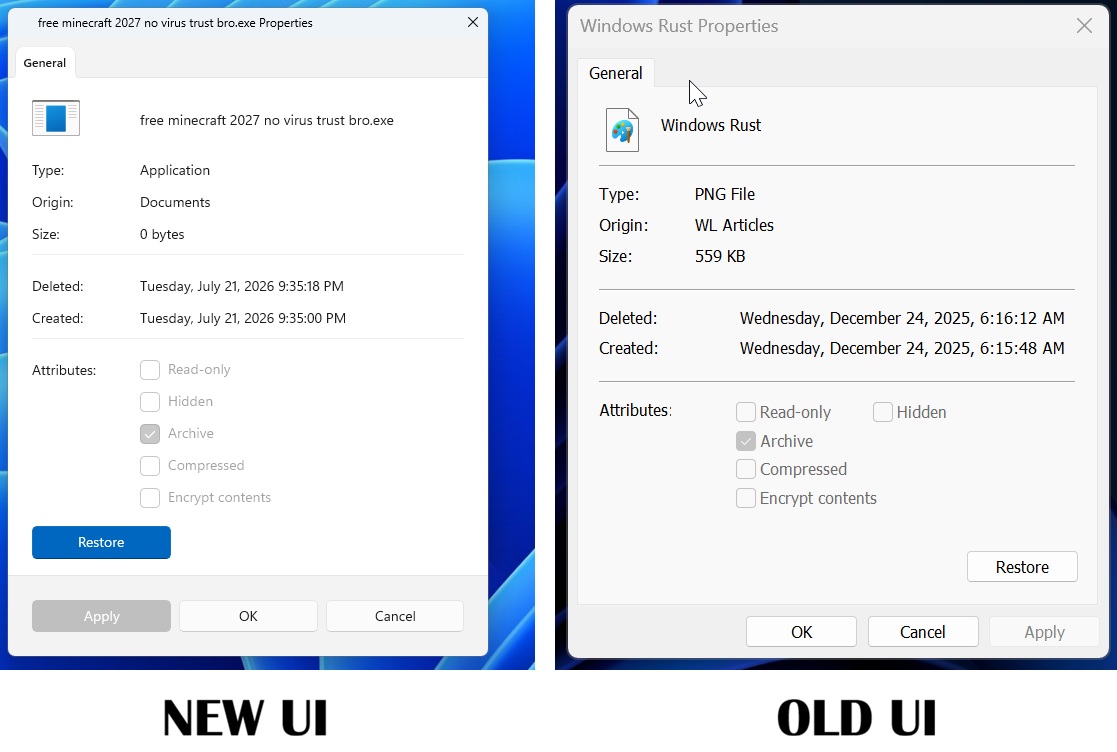
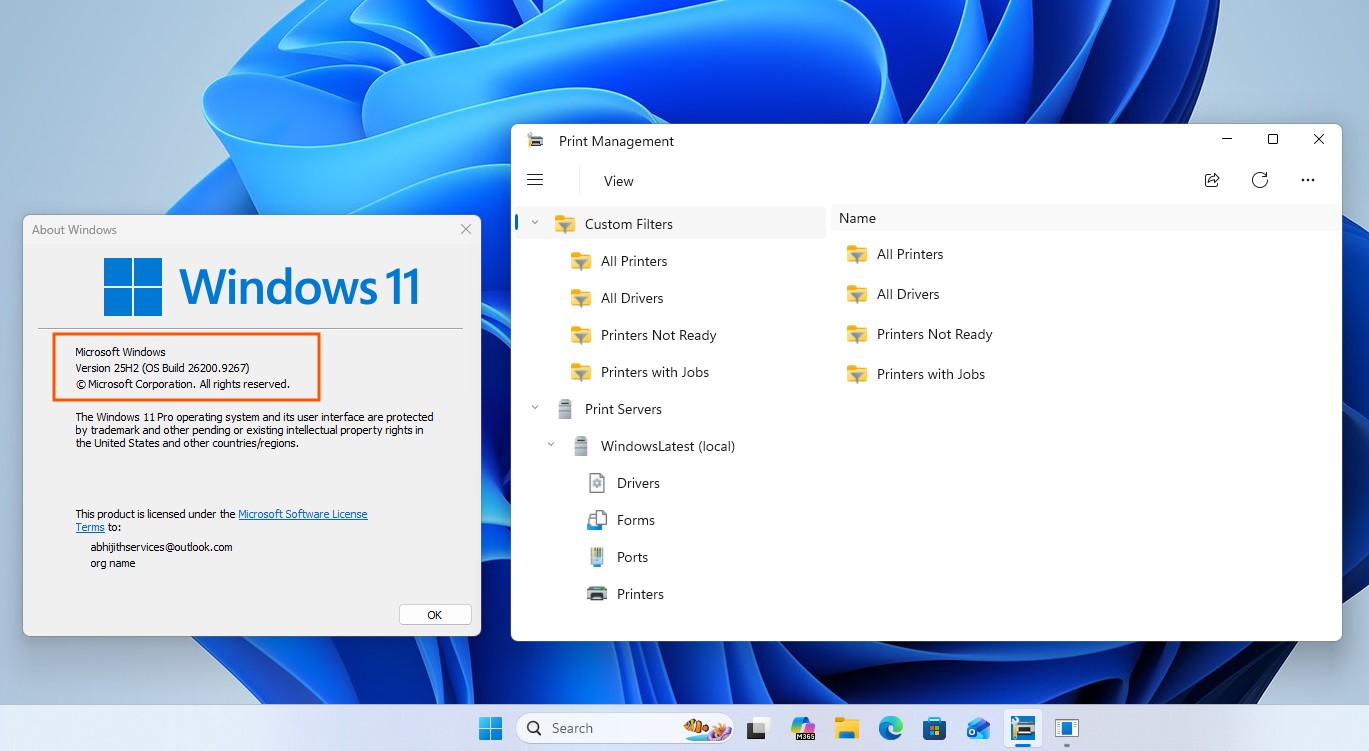
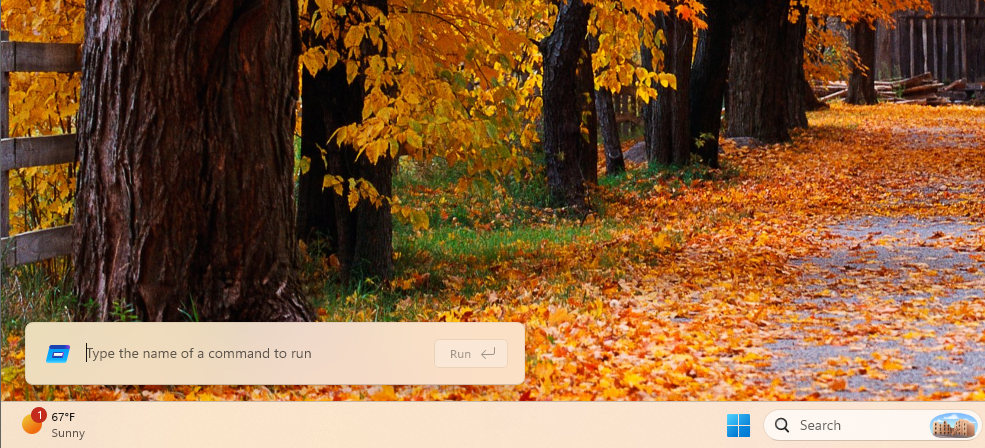
Read as part of a programme rather than a leak, the sample looks deliberate. A WinUI 3 version of the File Explorer Properties dialog is in development and adds dark mode. Print Management has surfaced in a WinUI 3 rebuild that replaces the older MMC console. A modern Run dialog has entered testing. Even legacy utilities as old as the defragmentation tool sit on the modernization list. Marcus Ash, who leads Microsoft's Windows Design and Research group, has previously said the company is examining how legacy system tools, including the registry editor, could be modernized.
None of that guarantees a date, and it is not the only unfinished idea Microsoft has put in public this year — the same period saw its near-real-time live-broadcast AI editing patent published. The pattern is what counts: Microsoft is rehearsing interfaces in open repositories before committing them to an OS release. That also shapes expectations for the next big Windows 11 milestone, and how it stacks up in our comparison of Windows 11 27H2 and the Windows 12 question.
Unresolved problems are the boring ones that decide whether any of this ships: compatibility with scripts written for the old editor, feature parity, and the memory footprint of a rebuilt core tool. For an advanced utility, buyers judge reliability and long-term compatibility first and looks last.
FAQ
Is the Reactor Registry Editor coming to Windows 11?
Not announced. Microsoft mentioned the registry sample in an October blog post and said it would introduce further sample apps next month, but has published no plan to replace regedit.exe.
Can I use it instead of regedit.exe today?
Only for browsing and simple edits. Favorites do not persist, .reg files cannot be imported or exported directly, full export is limited to HKEY_LOCAL_MACHINE, and permission, hive, network and print functions are stubs.
Why not just restyle the existing editor?
Because the sample is doing double duty as a showcase for Reactor. Re-skinning the old code would deliver a look; rebuilding on WinUI 3 with an MVU-style framework lets Microsoft test whether its own core tools can be maintained a different way.
Is it a web app wrapped in a window?
No. The controls are native WinUI, with no HTML, Electron or WebView2 layer, which is the main argument Microsoft makes for the framework's lower overhead.
What should a normal Windows user do about this?
Nothing. Continue using the built-in editor, back up any branch before editing it, and let Microsoft finish the feature list before considering a switch.
Bottom line: the honest verdict is not "new beats old". If you maintain Windows machines, regedit.exe is still the tool; if you build Windows apps, the Reactor sample is the more valuable artifact, because it shows where Microsoft thinks native desktop development is heading. A genuine interface overhaul for the registry editor would rank as the most significant change to that tool in decades — but until Microsoft attaches a release plan to it, treat it as a preview worth watching and a workaround worth avoiding.
References
- Microsoft UI Reactor repository — github.com/microsoft/microsoft-ui-reactor
- Microsoft, "Microsoft.UI.Reactor: a C#-first way to build WinUI apps", #ifdef Windows blog, October 21, 2026 — devblogs.microsoft.com
- Windows Latest hands-on of the WinUI 3 registry sample, November 8, 2026 — windowslatest.com
- Visual Studio Magazine on Reactor's MIT licensing and XAML support, October 27, 2026 — visualstudiomagazine.com
- Microsoft Learn, "Windows registry information for advanced users" — learn.microsoft.com
- Microsoft Learn, "Working with registry keys" (PowerShell) — learn.microsoft.com
- Microsoft .NET Conf session description for Microsoft.UI.Reactor — dotnet.microsoft.com