
Googlebook November 2026 Update Compared: Which Owners Actually Get Their 3GB to 6GB of RAM Back?
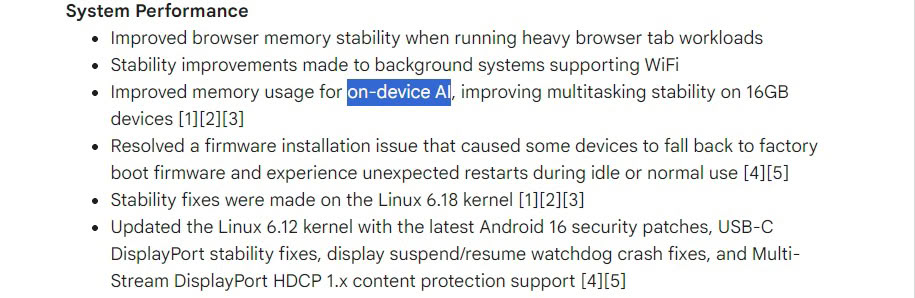
Google's November 2026 Googlebook update reworks NPU driver memory management so on-device AI gives back about 3GB to 6GB of system RAM that Chrome browser and other apps can finally reuse. Whether that feels like a real upgrade hinges on one hardware fact: the three beneficiary models all ship with 16GB memory. Here is who gains, who barely notices, which fixes matter more than the RAM headline, and how to decide whether to install today or wait.
What actually changed, and why it frees memory
Short answer: no AI capability was trimmed, the memory policy around it was. Google traces the improvement to an updated memory-management mechanism in the NPU (neural processing unit) driver. Local AI workloads no longer hold a large block of system resources indefinitely, and when Chrome browser or another application asks for more memory, the operating system can reclaim that space dynamically.
The sourcing is worth reading closely, because it shapes how much the number should be trusted. Google stated the up to about 3GB to 6GB figure in a Reddit post, while its official help documentation gives no specific freed-capacity value at all. Coverage carried by Android Authority reports the same range alongside about 30 fixes and the November 2026 security patch, and Android Central describes the change as an updated NPU driver plus improved AICore memory management. Read 3GB to 6GB as a ceiling that depends on what the machine is running, not as a guaranteed saving on every device.
Which Googlebooks benefit most, and where the gain stops
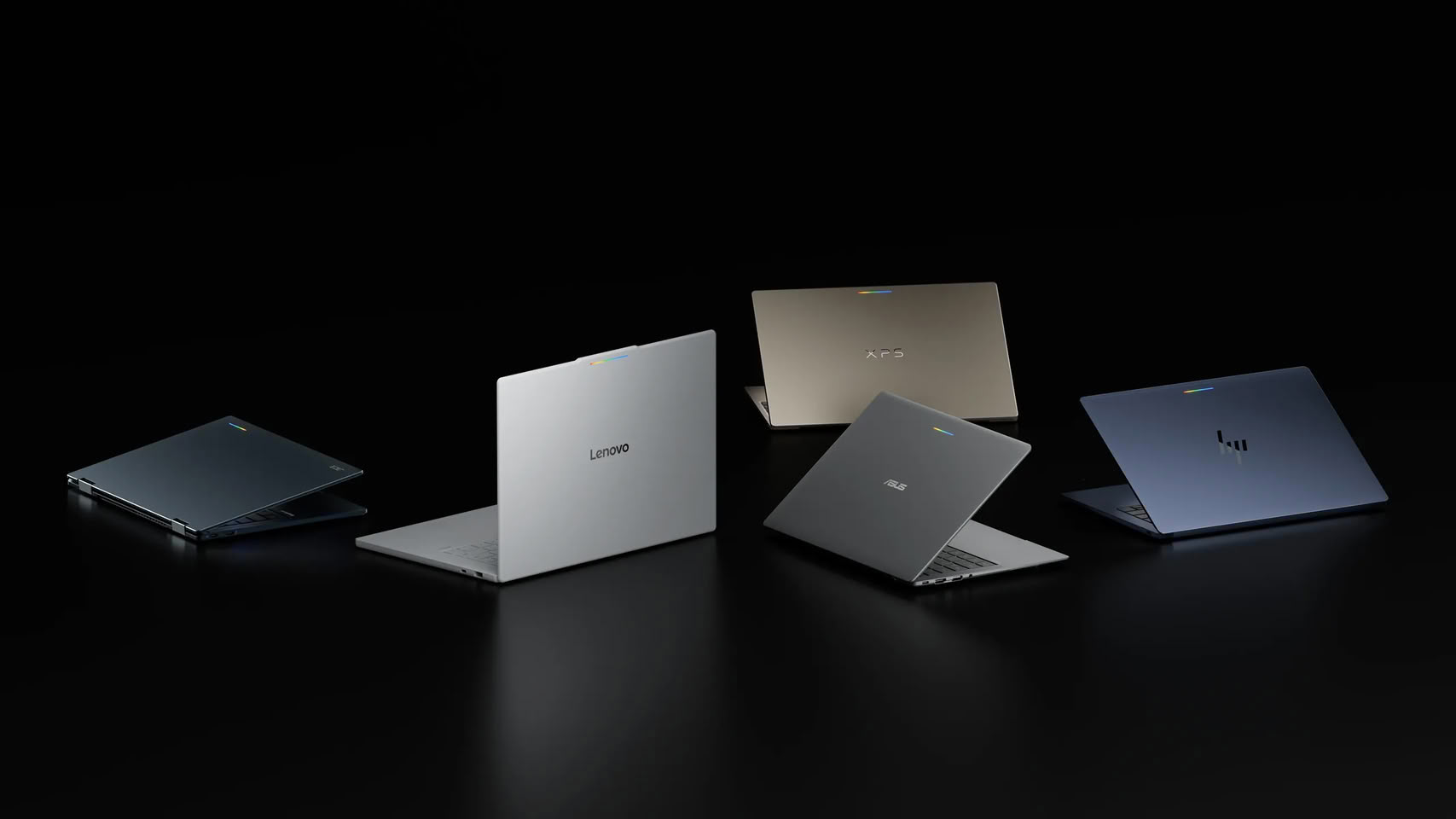
Conclusion first: this is a 16GB story. The three models Google names as beneficiaries of the new memory management — Acer Googlebook 14, ASUS Googlebook 14 and Lenovo Googlebook 15 — all ship with 16GB memory, so a maximum release of 6GB memory equals more than a third of installed RAM returned to applications.
| Device group | What the November 2026 build changes | Who should care |
|---|---|---|
| Acer Googlebook 14 (Acer) | On-device AI memory reclaim on 16GB memory, plus the fix for unresponsive keyboard and touchpad input on two-in-one devices | Students and hybrid workers who flip the lid, then return to typing and trackpad gestures |
| ASUS Googlebook 14 (ASUS) | Same AI memory reclaim; DRM black-screen fix on external displays | Office users who present streaming or protected video on a monitor |
| Lenovo Googlebook 15 (Lenovo) | Same AI memory reclaim on the largest screen in the current line-up | Creators and analysts who keep many tabs plus local AI tasks open at once |
| HP and Dell devices covered by the build | Repair of Bluetooth audio lip-sync desynchronization rather than a memory change | Meeting-heavy users on earbuds |
| Linux terminal environment | Multiple stability improvements | Developers and advanced users |
| Googlebook models Google does not name | No AI memory optimisation is listed for them; the build arrives mainly as stability plus security | Owners of older hardware — expect fixes, not a speed jump |
Shape also decides how often you hit the repaired bugs: a convertible is the device most exposed to the keyboard and touchpad fault, while a fixed clamshell rarely sees it. Our Googlebook shape comparison breaks down clamshell, convertible and detachable trade-offs ahead of the rumoured Lenovo Duet m, if form factor is the live question for you.
Is 3GB to 6GB of reclaimed RAM visible in daily use?
It depends on what was already competing for memory. Google's own framing — smoother behaviour with many tabs open and under high-load tasks, with fewer tab reloads and crashes — maps onto three reader profiles:
- Tab hoarders: every reloaded tab costs seconds and context; reclaimed RAM removes the reload pressure first.
- Meeting users: this is where the Zoom background-effects crash fix and the Bluetooth lip-sync repair matter more than the memory number.
- Local-plus-cloud AI users: the reclaim only pays off if the assistant stays resident while other apps demand space, which is precisely the case the driver update targets.
Outside Google's own numbers, the industry baseline is useful context. HP's 2026 memory guide treats 16GB of RAM as the recommended standard for friction-free multitasking, while PCMag's 2026 RAM reality check describes 8GB as adequate only for light, casual computing. Judged against that baseline, taking up to 6GB out of AI's hold on a 16GB machine moves a tight device into comfortable headroom. That is our reading of the published figures rather than a lab measurement.
The other about 30 fixes in build CL3B.260622.286.R2
Version CL3B.260622.286.R2 carries the security patch dated November 1, 2026 and closes about 30 issues in total. The repair list is where this release quietly earns its keep:
- Occasional keyboard and touchpad failures on convertible devices.
- Black screens when playing DRM-protected video on an external monitor.
- External USB microphones not working — a direct hit on streaming and interviews.
- Zoom crashing once background effects are switched on.
- Devices stuck in a boot loop after a system update was interrupted mid-way.
- Bluetooth audio lip-sync desynchronization on HP and Dell devices.
- Instability in the Linux terminal environment.
The boot-loop item deserves the closest look, because it is the failure mode that turns a routine patch into downtime. Vendors are converging on the same idea from different directions: Microsoft has moved Windows 11 toward re-downloading a clean image over the network instead of rebuilding locally, a trade-off we unpack in Cloud Rebuild vs Reset This PC. On Googlebook the November 2026 build simply tries to stop the interrupted update from bricking the boot sequence in the first place.
Install now, wait a week, or skip?
Because the release is reaching users in stages, the honest recommendation is conditional:
- Back up first if your machine is income-critical; staged rollouts mean two identical devices can behave differently.
- Open Settings, then System, then Software update, then System update to check availability manually rather than waiting for the prompt.
- Confirm you are on build CL3B.260622.286.R2 with the November 1, 2026 security patch before judging performance.
- Re-test your actual workload: many tabs plus one local AI task plus a call, not a benchmark.
- If a specific peripheral bug was your pain point — USB microphone, external monitor, Zoom effects — verify that item first, since it is the fix most likely to change your day.
Four common misreadings of the memory numbers
- "Every Googlebook gets RAM back." The optimisation is described for the three named models, each with 16GB memory.
- "Google committed to 6GB in writing." The Reddit post carries the up to about 3GB to 6GB figure; the official help documentation states no capacity at all.
- "AI was weakened to make room." The change is driver-level reclaim policy, not a downgrade of features.
- "It is only a performance release, so it can wait." It bundles the November 2026 security patch, so deferring it is a security decision, not a neutral one.
Frequently asked questions
How much RAM does the Googlebook November 2026 update free?
Google says up to about 3GB to 6GB of system RAM is released by the updated NPU driver memory management, and its official help documentation does not give a figure for the freed capacity.
Which models benefit?
Acer Googlebook 14, ASUS Googlebook 14 and Lenovo Googlebook 15. All three come with 16GB memory, so the maximum release of 6GB memory is more than a third of the total.
Why has my device not received it yet?
Rollout is staged. Checking Settings, then System, then Software update, then System update is the manual route; absence of the offer says nothing about whether the hardware qualifies.
Is this update mainly about AI, or about stability?
The AI memory reclaim is the headline, but build CL3B.260622.286.R2 also ships the November 1, 2026 security patch and repairs about 30 issues, several of which — Zoom crashes, USB microphones, external-monitor DRM black screens — touch more users than the memory change does.
Bottom line
Compare this release on two axes rather than one. On memory, it is a targeted win for owners of the three 16GB models who keep Chrome browser, local AI and meetings running at once. On stability, it is a broad repair list plus a security patch that most owners should take early. Anyone expecting a universal speed-up across the whole Googlebook line will be reading the wrong row of the table.
Sources
- Google's November 2026 update notes as posted on Reddit (r/Googlebook): https://www.reddit.com/r/Googlebook/comments/1xowmi0/the_googlebook_november_update_is_rolling_out/
- Android Authority, "Googlebook's giant November update frees up to 6GB of RAM": https://www.androidauthority.com/googlebook-november-update-3732317/
- Android Central on NPU driver and AICore memory management: https://www.androidcentral.com/chromebooks-laptops/google-just-made-googlebooks-faster-more-stable-and-less-crash-prone
- PCMag, "RAM Reality Check: How Much Memory Does Your PC Actually Need in 2026?": https://www.pcmag.com/explainers/ram-reality-check-how-much-memory-does-your-pc-actually-need-in-2026
- HP tech takes, "How Much RAM Do I Need? A Guide for Every User (2026)": https://www.hp.com/us-en/tech-takes/components/buyers-guide/how-much-ram-do-i-need-every-use.html
By James Hartley, content editor at IT Insights. Questions or corrections: contact@itinsights.com.