
Clamshell, Convertible or Detachable: A Googlebook Shape Comparison Ahead of Lenovo's Rumoured Duet m | ItInsightsWorld
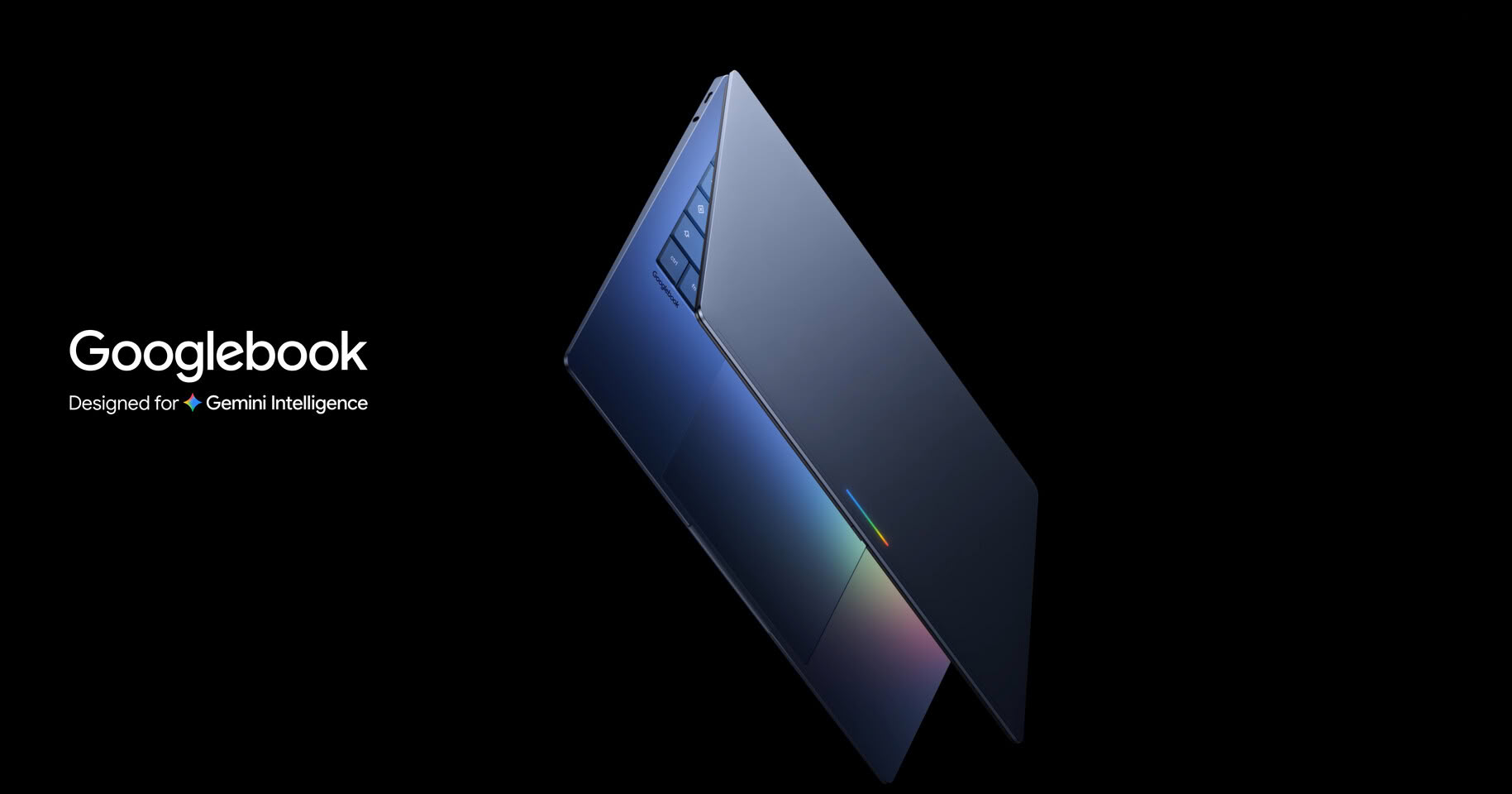
Short answer: no Googlebook shape wins outright. A clamshell gives you the most stable keyboard and the fewest software surprises; a 360-degree convertible gives you tablet and tent modes without losing a laptop body; a detachable gives you a real slate you can hold one-handed, at the price of a second battery, a pairing step and an interface that is not fully portrait-ready. Google says all three are coming this year, and the detachable is rumoured to land as the Lenovo Googlebook Duet m. Below is how to decide which one is yours.
What is a Googlebook, and how many shapes does it have now?
A Googlebook is a laptop running Googlebook OS — the product line Google introduced this year that merges Android and ChromeOS technology, leans on Gemini AI features and is built to stay in sync with an Android phone. In Google's own launch framing, the pitch is "a new category of laptops designed for Gemini Intelligence and perfectly in sync with your Android phone" (see the official post on blog.google).
Hardware-wise, the first wave is deliberately conventional. Four of the five Googlebook models currently on sale are traditional flip-up notebooks; the Acer Googlebook 14 is the only one with a 360-degree hinge that flips between laptop, tent and tablet modes. At the Android Dev Summit in late October 2026, Google extended the roadmap outward, saying the line will also cover convertible and detachable-keyboard designs — reporting republished by IT之家 and Sina Finance on 2 November 2026 — while withholding model names, configurations and a release date. Google has separately said it intends to push the platform into more large-screen form factors.
What is actually known about the Lenovo Googlebook Duet m?
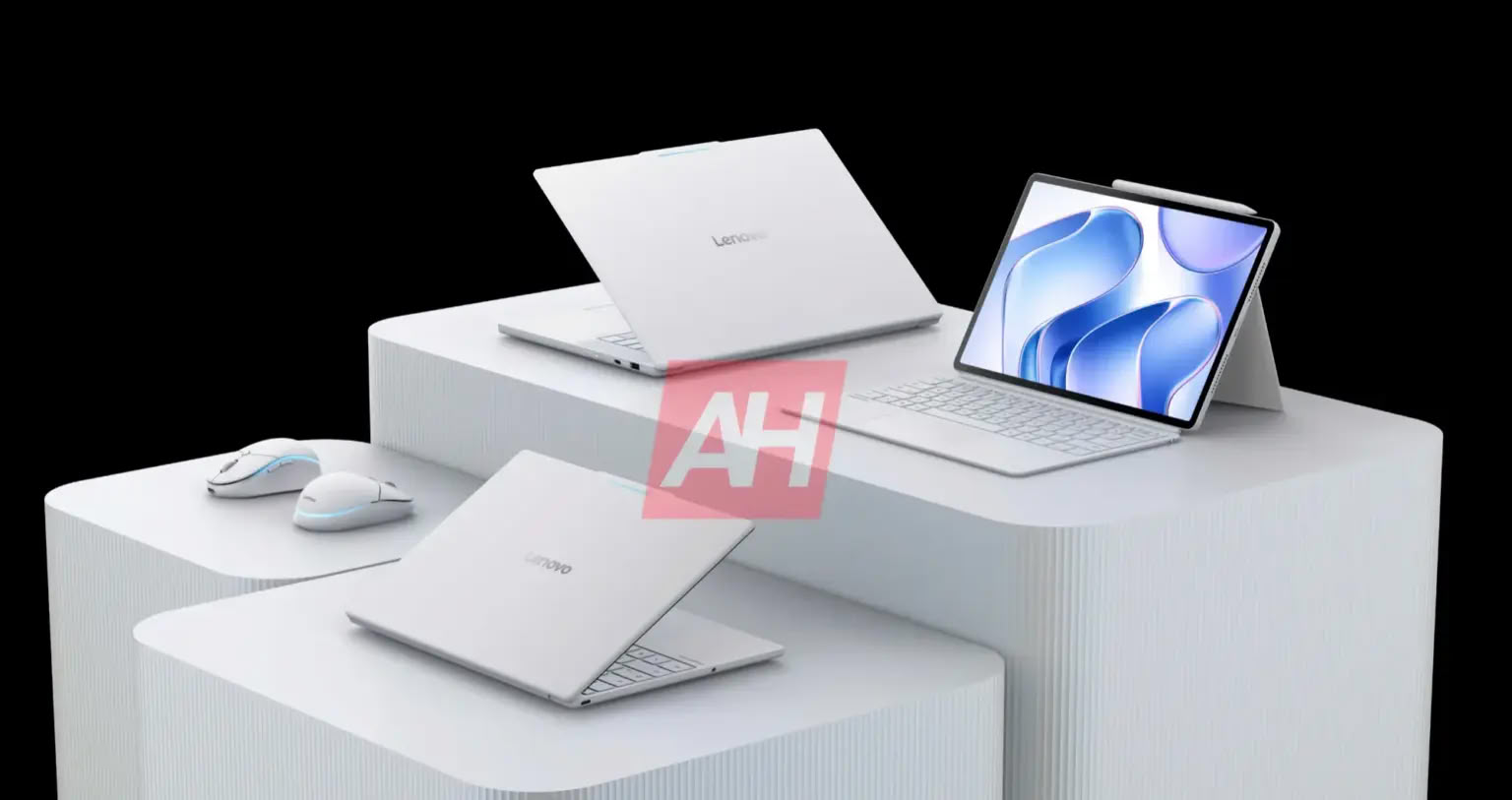
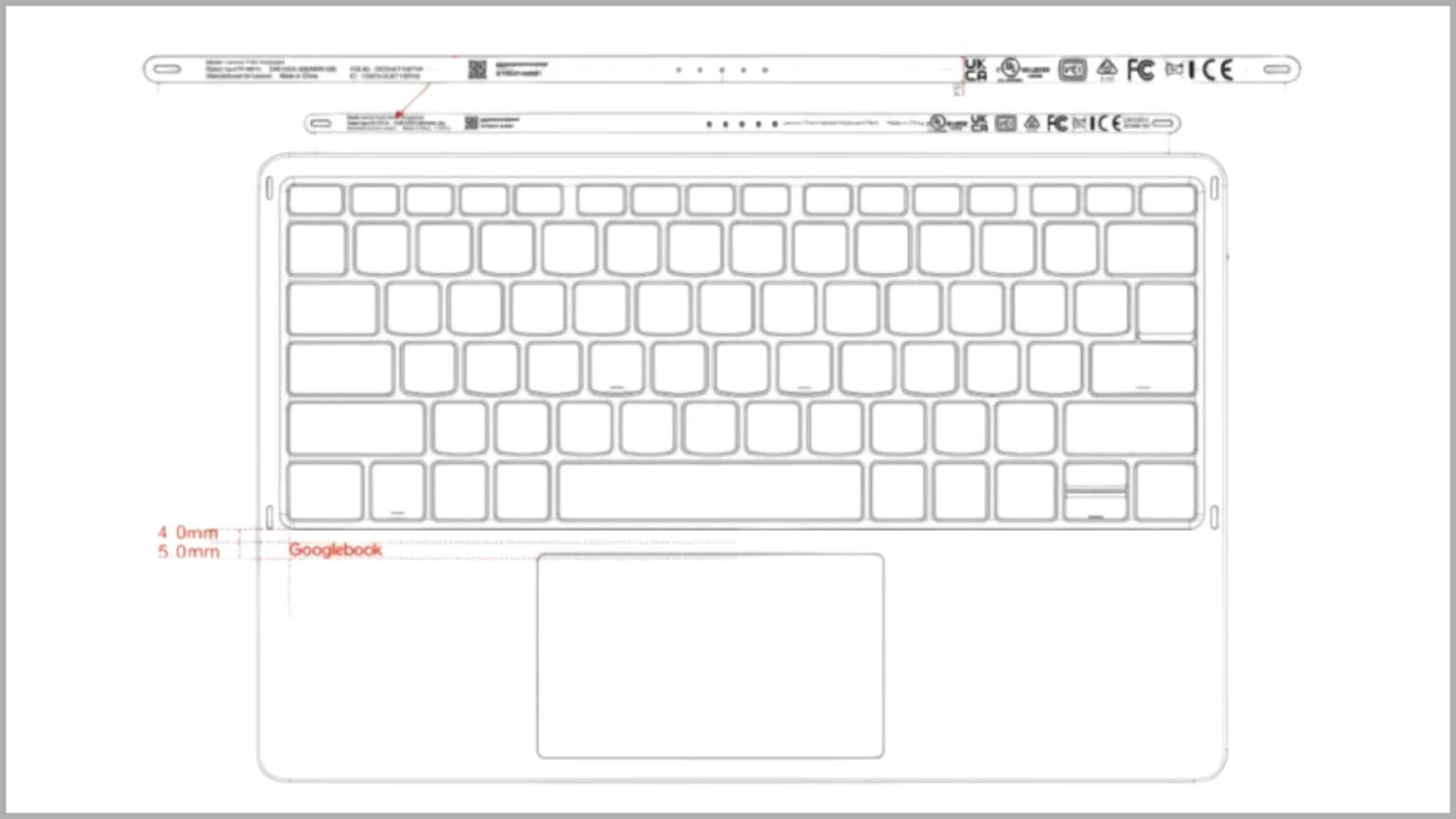
Conclusion first: the device looks real, but almost nothing about it is official. TechPowerUp reported that the first detachable Googlebook may come from Lenovo, with the rumored product name Googlebook Duet m and the internal codename Sapphire. Supporting that account, Lenovo has already filed regulatory certification for a matching keyboard and for a Lenovo Pen Pro stylus. Those keyboard papers describe two connection modes: a contact-based docked link to the tablet, or independent operation over Bluetooth Low Energy using its own built-in battery.
Certification and leak trails have thickened since. Android Authority's September 2026 coverage of high-resolution leaked renders described a tablet-first slate with a built-in rear kickstand, a slim detachable keyboard and a physical switch on the palm rest that disables the keyboard — the same report noted earlier leaks pointing to a 13-inch display and a MediaTek Kompanio Ultra 910. A November 2026 FCC-linked write-up at HotHardware went further on paper, tying the device to a 13-inch OLED touchscreen, 16GB of memory and UFS 4.0 storage. That is precisely the problem: the chip model, the memory figure and even the branding differ from leak to leak, so the only honest reading is "13-inch OLED screen and a MediaTek processor are the circulating claims," not the specification sheet.
Also still in the rumour column: a rear stand, the detachable keyboard itself, and a Glowbar — the ambient light element placed beside the camera that Googlebook hardware uses for AI-assistant feedback. Neither Lenovo nor Google has confirmed the filing, the codename Sapphire or any of these features.
How do the three Googlebook shapes compare?
Compare by what you give up, not by what you gain. Here is the same question laid out side by side.
| Decision dimension | Clamshell Googlebook (4 of 5 models today) | Convertible — Acer Googlebook 14 (360-degree hinge) | Detachable — rumoured Googlebook Duet m |
|---|---|---|---|
| Input surface | Fixed keyboard and trackpad, full travel, nothing to charge | Fixed keyboard; the display rotates around it | Keyboard separates; may link by contacts or run its own battery over Bluetooth Low Energy |
| Used as a tablet | Not a use case | Works, but the keyboard travels with you | Lightest, slate-first layout with a rear kickstand |
| Main risk | Lowest — matches how Googlebook OS behaves today | Screen edges and hinge exposed in flipped modes | Two batteries, pairing, and the portrait interface gap |
| Pen and note work | Secondary | Natural in tent and tablet positions | Most natural — the Lenovo Pen Pro filing matches this device |
| Best fit | Desk work, long typing sessions, external monitors | Readers who still want a proper laptop chassis | Marking up documents, presenting, short capture sessions on the move |
Why software, not hardware, decides whether a detachable is worth buying?
The honest answer is the orientation gap. Today's Googlebook OS lets some full-screen apps rotate to portrait, but the home screen, the task overview and the app drawer remain locked to a landscape layout. On a convertible, where the keyboard is always within reach, that inconsistency is an irritation. On a device you genuinely lift off the desk and hold vertically, it becomes the experience: you are constantly asking a tablet to behave like a rotated laptop.
There is precedent for expecting friction. The Acer Googlebook 14 shipped with exactly these mixed-mode limitations, which tells you Google had not finished tuning the platform for hybrid shapes at launch. Google has not said when more detail will appear. Until the system shell itself goes portrait, "detachable" mostly means "a lighter tablet body attached to a landscape desktop".
A second, less-argued dimension is application behaviour rather than chrome. Because Googlebook OS draws on the Android side of the house, touch-first Android apps are the natural fit for a slate; browser-heavy desktop workflows, multi-window spreadsheets and peripheral-dependent tasks remain the stronger suit of a fixed keyboard. That split is our own reading of the platform positioning rather than a vendor statement, but it maps cleanly onto the form-factor table above.
Who should choose which shape?
- You type eight hours a day: stay with a clamshell Googlebook. Nothing about a detachable keyboard improves that workload, and a thin floating keyboard is a compromise you pay for twice.
- You annotate, read and present: the detachable idea is aimed at you — but wait for Google to say what changes in portrait mode before committing.
- You want tablet moments and hate loose accessories: the Acer Googlebook 14 with its 360-degree hinge covers tent and tablet use with one less thing to charge.
- You are buying for a class or a company fleet: check management tooling and support horizon first. Google's enterprise and education documentation commits to ChromeOS updates and security patches into mid-2034 as the ecosystem shifts toward Googlebook OS (Engadget), so a fleet decision today is a multi-year decision.
- You are on a launch-window budget: remember that no "detachable" Googlebook has an announced release date or price. Any figure circulating now is speculation.
What to verify before you buy or wait
- Read Google's own spec page for the shipping models and confirm whether the shell — home screen, task overview and app drawer — supports portrait, not only full-screen apps.
- Check whether the keyboard and the stylus are in the box or sold separately; the Lenovo Pen Pro and the keyboard exist as filings, not as confirmed retail contents.
- Confirm the keyboard's wireless behaviour: contact-only docking, Bluetooth Low Energy on its own battery, or both — that single detail determines how usable the tablet is away from a desk.
- Verify which Gemini AI features and which phone-link functions run on the MediaTek-powered tablet body versus the existing clamshell models.
- Match the claimed 13-inch OLED screen against a real panel spec sheet once Google confirms it; display claims are the most commonly revised item in pre-launch leaks.
- Only then compare price against the four clamshell Googlebooks already on sale, because shape alone rarely justifies a premium.
Four misconceptions worth dropping
- "A certification filing means a confirmed product." Regulatory paperwork for a keyboard and a pen proves only that Lenovo is preparing something; the Googlebook Duet m name and the Sapphire codename remain unconfirmed by both vendors.
- "Detachable automatically beats convertible." It trades a rigid hinge for a keyboard you can lose, and it inherits the same landscape-locked system interface.
- "Leaks that agree are facts." A 13-inch OLED screen and a MediaTek processor appear across reports, yet chip naming and memory figures still conflict between sources.
- "Googlebook replaces ChromeOS overnight." The two are on a transition path with published support dates, not a switch.
FAQ
Is the Googlebook Duet m an official product?
No. It is a rumored name, with the codename Sapphire, for what TechPowerUp reported could be the first detachable Googlebook, potentially built by Lenovo. Google has publicly said only that a detachable-keyboard form is coming.
How is a detachable different from the Acer Googlebook 14?
The Acer model is a convertible: its 360-degree hinge rotates the display but the keyboard stays attached. A detachable separates them entirely, so you carry a slate and, optionally, a keyboard that may also talk to the tablet over Bluetooth Low Energy.
What hardware is rumored for the Duet m?
A 13-inch OLED screen, a MediaTek processor with conflicting model claims across leaks, a rear kickstand, a detachable keyboard and a Glowbar light element near the camera. None of it has been confirmed.
Should I wait for it?
Wait if you plan to use it primarily as a tablet and want the system interface to follow you into portrait. Buy now if your work is typing, spreadsheets and external displays — the clamshell Googlebooks already do that without an unannounced software fix.
Will my Chromebook become obsolete?
Not on any near-term clock. Google's administrator documentation keeps ChromeOS updates and security patches running to mid-2034 while newer hardware transitions to Googlebook OS.
Written by James Hartley for ItInsightsWorld (IT Insights). For corrections or editorial questions, contact the desk at contact@itinsights.com.
Sources consulted
- Google's official introduction of the Googlebook line — blog.google: https://blog.google/products-and-platforms/platforms/android/meet-googlebook/
- Android Authority on the leaked Lenovo 2-in-1 Googlebook renders and MediaTek Kompanio Ultra 910 reporting — https://www.androidauthority.com/lenovo-googlebook-2-in-1-duet-leak-again-3715328/
- HotHardware on the FCC listing linked to the Googlebook Duet m — https://hothardware.com/news/google-confirms-googlebook-detachables-as-lenovos-duet-m-hits-the-fcc
- Engadget on ChromeOS support through mid-2034 as Google shifts to Googlebook OS — https://www.engadget.com/2271249/google-will-support-chromeos-until-2034-as-it-shifts-to-googlebook-os/
- IT之家 coverage of Google's form-factor remarks at the Android Dev Summit 2026 — https://www.ithome.com/1/020/872.htm
- TechPowerUp, the original report on the Googlebook Duet m rumor referenced throughout this comparison.