
Questions, Not Patches: An ItInsightsWorld SoftwareDevelopment Guide to Nietzschian Debugger
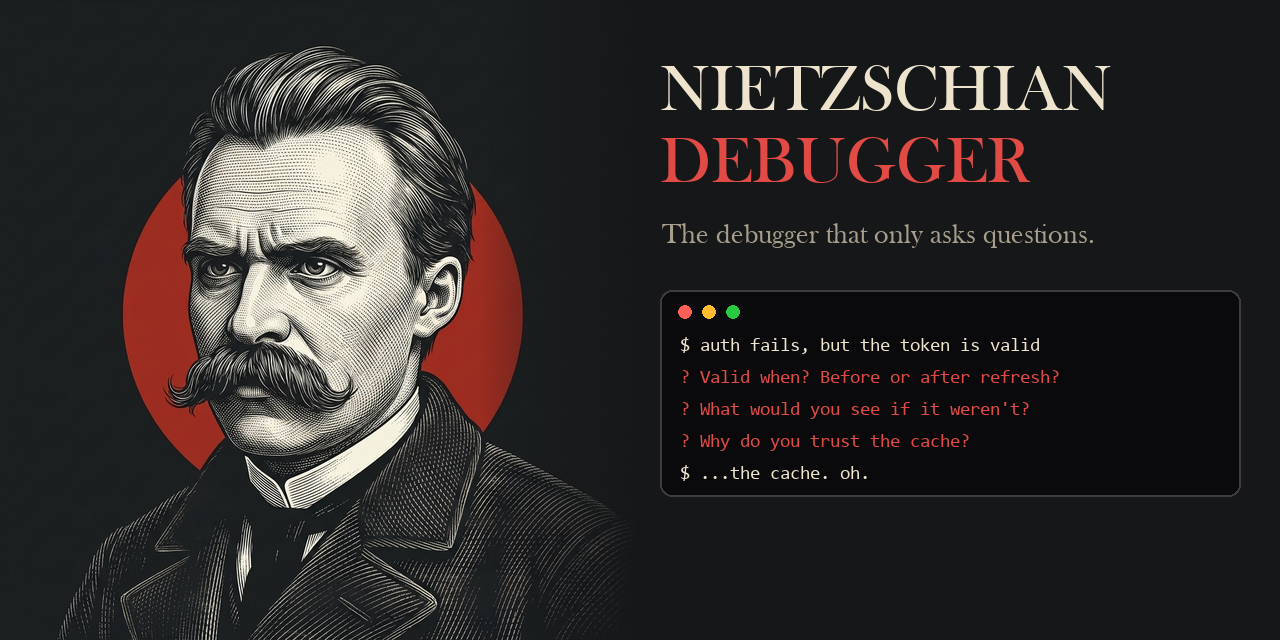
Most delivery teams have quietly settled into the same routine: paste a stack trace into ChatGPT, copy back the suggested patch, ship, repeat. Nietzschian Debugger is a command-line tool that deliberately refuses that routine. Its slogan — "What doesn't kill your code makes it stronger." — doubles as its design rule: no fix is ever handed to you, only a chain of questions that pushes you to reach the aha! moment on your own terms.
Because this is the SoftwareDevelopment desk of ItInsightsWorld, the article below is organized around execution: install steps, intensity modes, a real transcript, a comparison table, the pitfalls to flag before a team trial, an FAQ, and a short action plan.
1. Why an answer-free debugger deserves engineering attention
The project's premise is uncomfortable but easy to state: convenience tooling can erode the very skill it is meant to support. When copy-paste replaces reading, nobody in the team still owns a mental model of the code, and incident response degrades along with it. Nietzschian Debugger is positioned as the counterweight — it aims to forge stronger developers through struggle, not shortcuts.
One line from the project frames the whole design: "He who has a why to debug can bear almost any how."
For a tech lead, the practical reframing is this: treat the tool as a reviewer of your reasoning rather than a generator of code. It interrogates assumptions, surfaces the evidence you are avoiding, and dismantles weak inference until only a defensible conclusion is left.
2. Installation: two distributions, one API key
Use the published release, shipped on npm as v0.1.0:
npx nietzschian-debuggerOr install the current source build, which requires Python 3.10+ :
pip install git+https://github.com/DilawarShafiq/nietzschian-debugger.gitInvoke the CLI against a bug description:
nietzschian debug " your bug "
Runtime requirements
- Node.js >= 20 for the npm release, or Python >= 3.10 for the current source.
- An Anthropic API key — BYOK (bring your own key).
Set the key before the first session
- Linux / macOS:
export ANTHROPIC_API_KEY="sk-ant-..." - Windows (PowerShell):
$env:ANTHROPIC_API_KEY = "sk-ant-..." - Windows (CMD):
set ANTHROPIC_API_KEY=sk-ant-...
3. First session: pick an intensity, then describe the bug
The default mode is nietzsche. Three commands cover most trial scenarios:
nietzschian debug " My API returns 500 but only on Tuesdays "
nietzschian debug --intensity socrates " My login endpoint fails randomly "
nietzschian debug --intensity zarathustra " Memory leak in production "
Referencing a concrete path changes the interaction, because the tool reads the file you point at:
nietzschian debug " Auth fails in ./src/middleware/auth.ts "
Comparison of the three intensity levels
| Level | Interaction style | Where it fits in a team |
|---|---|---|
| socrates | Warm, guiding, scaffolded questions | Juniors and fundamentals training |
| nietzsche | Direct, confrontational, no hand-holding | Daily debugging (the default) |
| zarathustra | Brutal, adversarial, hostile to weak reasoning | Seniors who want real pressure |
4. What a session actually looks like on screen
Recorded header: Nietzschian Debugger v0.1.0 — intensity: nietzsche.
You: My login endpoint returns 403 for some users.
Nietzschian: You say "some users." That's vague. What separates the ones who fail from the ones who don't?
You: I'm not sure, it seems random.
Nietzschian: "Random" is the word we use when we haven't looked hard enough. What do the server logs say for the 403 responses? Go look. I'll wait.
You: Let me check... oh, they all have expired JWT tokens.
Nietzschian: Now we're getting somewhere. Why would some users have expired tokens while others don't? What changed recently in your auth system?
You: ... oh. We changed the token TTL last week and didn't invalidate existing sessions.
Nietzschian: There it is. You didn't need me to tell you — you needed to be forced to look.
Session Complete — 4 questions to root cause (Solved).
The closing profile is a per-skill readout rather than a code diff:
┣ Assumption-checking ██████████ strong
┣ Evidence-gathering ██████░░░░ moderate
┗ Root cause speed ████████░░ strong
Footer quote: "Man is something that shall be overcome." — Friedrich Nietzsche
5. Controlling the session
| Input | Effect |
|---|---|
| solved or found it | Closes the session because you located the root cause |
| I give up | Grants one lifeline question, then exits |
| exit or quit | Abandons the session immediately |
| Ctrl+C / Ctrl+D | Force quit |
6. Features that matter in an engineering workflow
- No answers, by contract. Every reply is a question; the tool will never hand you the fix.
- Real code reading. When you reference a file path, it inspects your actual code instead of generic snippets.
- Contextual philosophy. Nietzsche is used when you are avoiding, Seneca when you are overwhelmed, and Sun Tzu when you need strategy.
- Growth Score. Debugging skills are tracked across sessions with visual bar charts.
- Session History. Everything is stored locally in .nietzschian/sessions/ so trends can be reviewed later.
- Sliding Context. Long sessions do not crash; older turns are summarized transparently.
7. Side-by-side: conventional AI assistant vs. Nietzschian Debugger
| Traditional AI | Nietzschian Debugger |
|---|---|
| "Here's the fix" | "What have you tried?" |
| Makes you dependent | Makes you dangerous |
| You learn nothing | You learn everything |
| Fast but shallow | Painful but permanent |
| AI gets smarter | YOU get smarter |
8. Common pitfalls to flag before a team trial
- Expecting a patch at the end. The contract is questions only; if your escalation process needs a written fix, you still have to author it.
- Pasting vague symptoms. Phrases such as "some users." or "it seems random" get challenged immediately — write the reproduction first, then start the session.
- Choosing zarathustra for onboarding. The brutal tier is aimed at seniors; juniors belong on socrates, where questions are scaffolded.
- Omitting file paths. Without something like ./src/middleware/auth.ts you lose the code-reading behaviour and get reasoning questions only.
- Ignoring local history. The trend value sits in .nietzschian/sessions/ and in the Growth Score bars; skipping them throws away the coaching signal.
- Assuming managed infrastructure. This is a BYOK CLI: your own Anthropic API key and your chosen runtime (Node.js >= 20 or Python >= 3.10) are the whole deployment story.
9. Who this is for
- Junior developers who want to learn the craft instead of copying answers.
- Senior developers who miss the struggle that made them good.
- Engineering managers who want their team thinking, not just prompting.
- Bootcamp students building real debugging intuition.
- Anyone who believes the best developer is a self-reliant one.
10. FAQ
Does it ever reveal the root cause?
No. It never gives answers; the closest concession is "I give up", which returns one lifeline question before exiting.
How long until a session ends?
It ends when you type solved or found it. In the transcript above, the root cause was reached in 4 questions.
Is my debugging data uploaded anywhere?
Sessions are saved locally in .nietzschian/sessions/, and model calls run against your own key.
What runtime and model does it use?
Python >= 3.10, the Claude API via the Anthropic SDK, Click for the CLI, Rich for the terminal UI, and pytest for testing.
Can I contribute or build it myself?
Yes — clone the repository, install the dev extra, and run the suite: 121 tests.
What is the license?
MIT.
11. Building from source and running the suite
git clone https://github.com/DilawarShafiq/nietzschian-debugger.git
cd nietzschian-debugger
pip install -e " .[dev] "
pytest
nietzschian debug " test problem "
12. Tech stack at a glance
- Python >= 3.10
- Claude API via the Anthropic SDK
- Click for the CLI, Rich for the terminal UI
- pytest for testing
- License: MIT
13. Action plan for the next two weeks
- Pick one open, non-urgent defect per engineer and set the key on Linux / macOS, Windows (PowerShell) or Windows (CMD) as appropriate.
- Start one socrates session for anyone new to the codebase, and one nietzsche session for routine work; reserve zarathustra for volunteers.
- Always include the file path so the tool reads your real code rather than hypothetical examples.
- Close each session with solved or found it, then compare your Growth Score bars across two weeks of local history.
- Debrief in an existing engineering sync: which assumptions the questions broke, and what the team would otherwise have shipped blind.
Adopted selectively, this CLI works as a forcing function for reasoning hygiene: it will not shorten your ticket queue, but it can make the person closing each ticket the one who actually understands the fix. Prepared for ItInsightsWorld by James Hartley, IT Insights — editorial questions can be sent to contact@itinsights.com.