
Security Brief: Synology NAS Ransomware, Outdated DSM Exposure and Offline Backup Steps
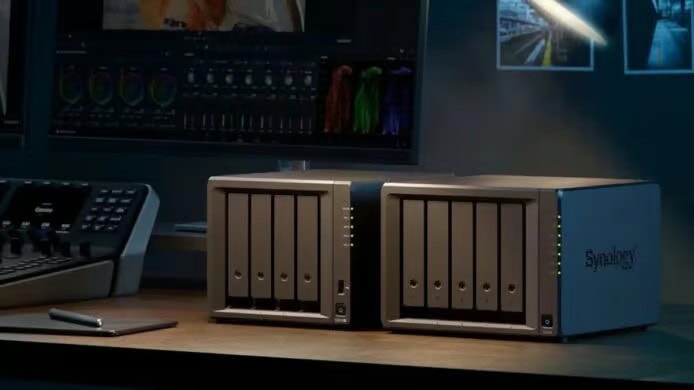
When a Synology NAS is caught in a ransomware incident, the first practical question is whether DSM has been updated before the device is placed on the internet. Participant comments around this case show a split: some report that they already use the latest DSM, while more describe continuing to run older DSM releases with public network exposure. Synology's security team has taken notice and said the attacks observed in this incident are related to a vulnerability that Synology fixed in December 2024.
Synology's security position: December 2024 vulnerability
In its latest announcement, Synology says attacks against outdated DSM systems are ongoing. The attackers' objective is to encrypt data stored on the device and then demand a ransom from the victim. Synology recommends checking the installed system version against the guidance in Synology-SA-24:20.
The Synology-SA-24:20 advisory covers multiple security weaknesses. The most serious among them is CVE-2024-10441, a remote code execution vulnerability with a score of 9.8. Synology explains that attackers can use an output encoding problem in the DSM system plugin service to execute arbitrary code remotely.
360 team view: September fixed CVE-2026-13639/13684
The 360 anti-ransomware team has also handled several ransomware attacks involving Synology NAS recently. Its assessment differs: the 360 team believes the hackers used CVE-2026-13639/13684, vulnerabilities that Synology fixed in September. These vulnerabilities are recorded in Synology-SA-26:13, and the corresponding new version release date is September 18, 2026.
The practical conclusion does not change because of the difference between the two views. Users should upgrade to the latest DSM immediately. At present, there is no evidence that Synology DSM contains a zero-day vulnerability, meaning an unpatched vulnerability already exploited by attackers. Therefore, keeping the system updated should provide a secure baseline, but it still must be combined with strong passwords and multi-factor authentication.
Which DSM version closes the known gaps
| Branch version | Fix requirement |
|---|---|
| DSM 7.4 branch version | Upgrade to 7.4-90075 or a higher version |
| DSM 7.3 branch version | Upgrade to 7.3.2-86009-4 or a higher version |
| DSM 7.2.2 branch version | Upgrade to 7.2.2-72806-9 or a higher version |
| DSM 7.2.1 branch version | Upgrade to 7.2.1-69057.12 or a higher version |
| DSM 6.x series | No fixed version is available, so upgrade to a version that is still supported |
Common misconceptions in NAS ransomware response
- A current DSM release removes all risk. The source advice is stronger than that: after updating, users should still use strong passwords and multi-factor authentication.
- Public access can wait for a later cleanup. Participant reports include devices exposed directly to the public network, which is precisely the condition that makes old DSM and weak access paths risky.
- Black Synology users can simply follow the official update path. They first need confirmation from the DSM provider that a compatible new version has been released; otherwise public connectivity should be cut.
- White Synology users only need one update channel. Enabling automatic update is recommended, and the original guidance also suggests combining automatic update with automatic installation for immediate application after a new DSM release.
- NAS data is already safe because it is in one place. The source warning is clear: no NAS is immune, and important files should not exist only on the NAS.
Actionable checklist organized for ItInsightsWorld Security readers
This checklist follows the Landian security guidance and turns it into tasks that administrators can use during patching and recovery planning.
For Black Synology users
- Check whether the developer providing the DSM system has already released a new compatible version.
- If a compatible version exists, upgrade immediately to close the vulnerability.
- If no compatible version exists, disconnect the NAS from public internet access.
- Do not use QC or DDNS to expose the NAS to the public network.
- Do not open SSH port 22.
For White Synology users
- Make sure DSM automatic update is enabled.
- Enable both automatic update and automatic installation so that a new Synology release can be applied as soon as it is available.
- Avoid exposing the NAS to the public network if there is no operational need.
- Avoid mapping NAS access through QC or DDNS when possible.
- If public connectivity is unavoidable, use high-strength user passwords and MFA multi-factor authentication.
- Prefer encrypted network tools such as WireGuard for remote access.
Offline backup requirement
- Treat every NAS, including Synology NAS and devices from other brands, as capable of being compromised.
- Do not keep important data in NAS storage only.
- For important files, set regular backups to cloud storage or other offline locations.
- Use Synology Cloud Sync to connect major cloud drives and synchronize important directories for cloud backup.
- Confirm that the chosen cloud drive provides anti-ransomware protection or version recovery; OneDrive has such mechanisms.
FAQ for security administrators
Should teams wait to see whether Synology or the 360 team is correct?
No. Regardless of whether the attacker used CVE-2024-10441, the December 2024 vulnerability highlighted by Synology's security team, or CVE-2026-13639/13684, the September issue identified by the 360 anti-ransomware team, the required action is to move to the latest DSM.
Does the table mean DSM 6.x can be patched in place?
No. The original guidance says the DSM 6.x series has no fixed version, so devices on that branch should move to a still-supported version.
Is MFA still needed after patching?
Yes. The guidance states that even when there is no evidence of a zero-day vulnerability, users should still use strong passwords and multi-factor authentication.
Can Cloud Sync replace offline backup?
Only if the cloud destination has ransomware resistance or recovery capability. The original advice recommends regular backup to cloud or other offline directories and notes OneDrive's relevant functions.
Security action plan
- Audit DSM versions across the NAS fleet against the fixed-version table.
- Apply the highest supported DSM release for each branch: DSM 7.4-90075 or higher, DSM 7.3.2-86009-4 or higher, DSM 7.2.2-72806-9 or higher, and DSM 7.2.1-69057.12 or higher.
- For DSM 6.x deployments, treat the lack of a fixed version as an upgrade deadline, not a maintenance note.
- Reduce public exposure by reviewing QC, DDNS, and SSH port 22 access paths.
- For devices that cannot be patched immediately, disconnect public connectivity first.
- Enable automatic update and automatic installation on supported White Synology systems.
- For Black Synology systems, wait for a compatible DSM release from the provider; if none exists, keep the device out of public network exposure.
- Validate that every important NAS directory has a separate backup destination, including cloud or offline storage, and that recovery features are available.
The incident is a reminder that NAS ransomware often succeeds because an old system, public exposure, or a single copy of the data creates a known path. The defensive response is straightforward: upgrade DSM to the documented fixed version, eliminate unnecessary public access, authenticate strongly, and keep a recoverable offline backup. If the cloud sync route is used, confirm that the destination can survive ransomware and restore earlier versions before relying on it.