
Windows 11's New 8GB Memory Fixes: What Speed You Actually Get, and What Still Costs You
Verdict first: Microsoft recently shipped a Windows 11 update aimed squarely at 8GB machines, and the numbers deserve careful reading rather than celebration. The company says a laptop carrying 8GB of memory can now respond up to 20% faster, and that in multitasking tests the improvement reaches up to 40%. On ITInsightsWorld's reading, this is best understood not as new horsepower but as a discount on the pain of owning modest hardware. The update removes needless reloading, trims background memory, and leaves the ceiling of 8GB exactly where it was.
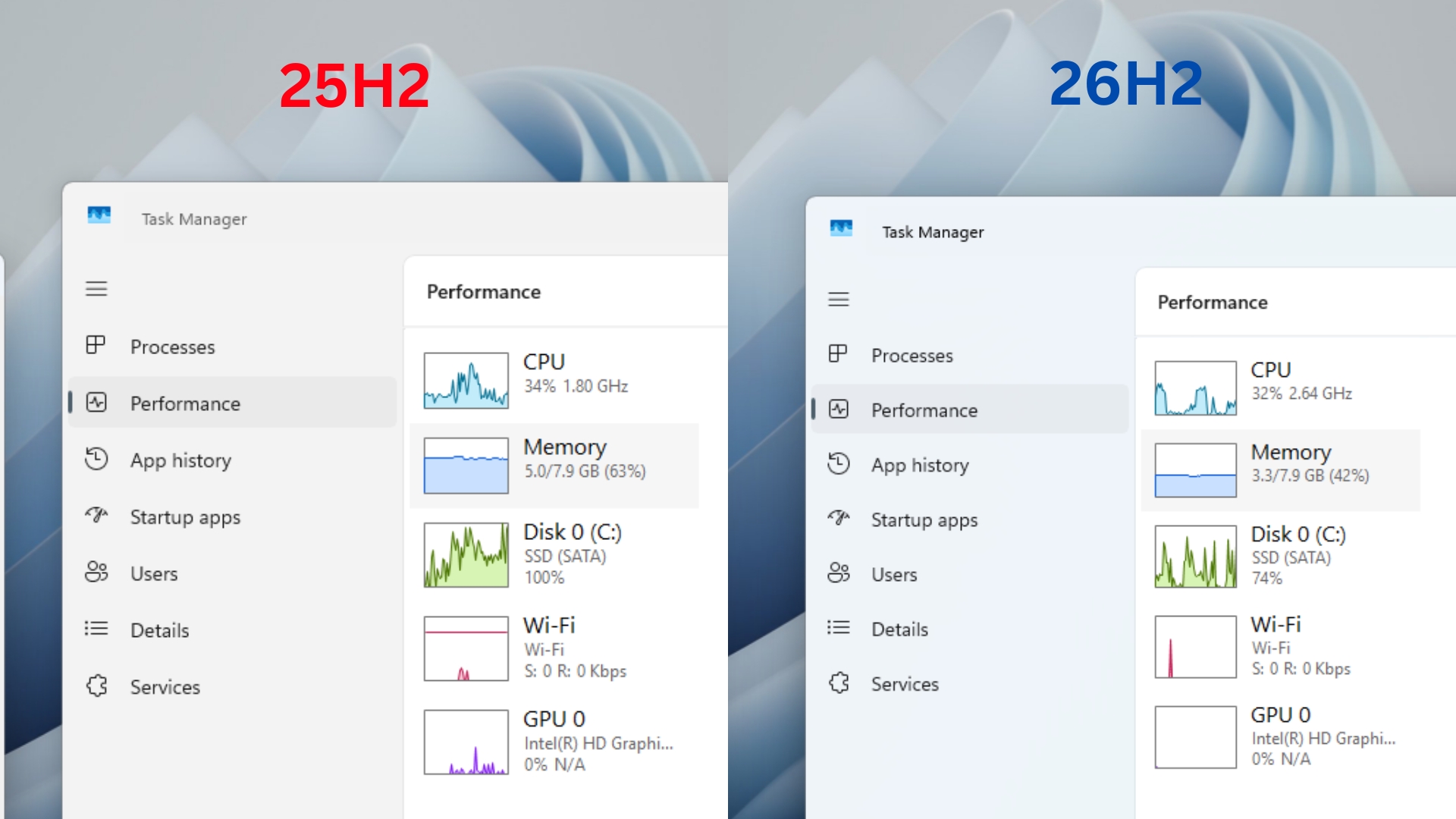
Four separate fixes, and which one you will actually notice
The value of this release becomes clearer once it is taken apart. Microsoft did not flip one setting; it touched the operating system, the browser, the office suite and the desktop panel most people never open.
| What changed | How it works | Reported effect | Who notices it |
|---|---|---|---|
| Memory compression re-tuned | Temporarily inactive data is squeezed and kept in memory instead of being written out to slower storage and read back later | Windows 11 can now hold about 2GB more active data in memory | Anyone who switches back and forth between apps and browser tabs |
| Edge browser plus Microsoft 365 slimmed | Shared components carry less weight across the ecosystem | Up to about 900MB less memory usage; the four office apps Word, Excel, PowerPoint and Outlook alone free about 360MB | Students and office-heavy users who live in documents and mail |
| Widgets loaded on demand | On 8GB computers the Widgets panel is no longer preloaded; it starts only when you ask for it | About 200MB saved | Budget laptop owners who never touch Widgets |
| Sleeping tabs tightened | Long-idle tabs in Edge go dormant after 15 minutes | Less background memory drain | People who keep dozens of tabs open all day |
Two of these are genuinely new behaviour, and two are refinements of mechanisms Windows already had. That distinction matters when you decide whether your own machine will feel different, because a refinement only shows up under pressure.
How the 20% and the 40% were measured, and what they are not
Over the past year Microsoft has been running a Windows 11 performance programme to answer a long-standing complaint: that the system feels heavy and memory-hungry. The company had already said Windows 11 had become more responsive; with this release it published harder detail. Pavan Davuluri, who leads the Windows business, said that in laboratory conditions 8GB devices saw system response speed improve by up to 20% and multitasking performance improve by up to 40%. Microsoft stresses the gains come from using memory more efficiently, not from asking for better hardware.
The internal test setup is unusually concrete. On one machine equipped with 8GB of memory, testers kept 20 Edge tabs open, played a 4K video, ran several large Word, Excel and PowerPoint documents, and left Outlook and File Explorer running at the same time. Measured against a version from early this year, the new build handled that heavy workload noticeably faster.
Read those figures as a ceiling rather than a promise. Percentage gains from a vendor laboratory under one fixed workload describe a best case, and the machine that feels the difference is the one whose memory was already full. A lightly loaded 8GB laptop with four tabs and a music stream will look almost identical before and after.
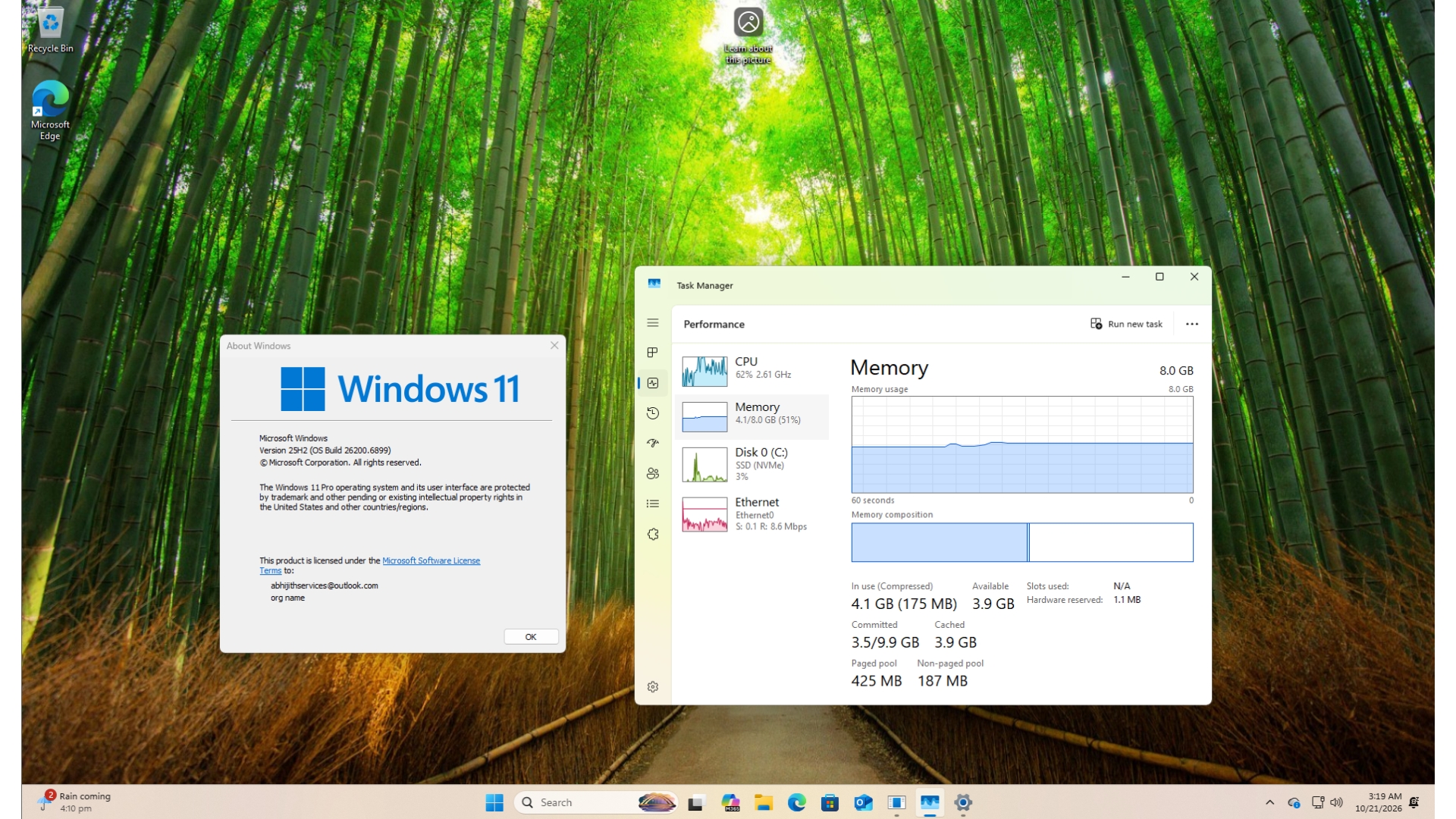
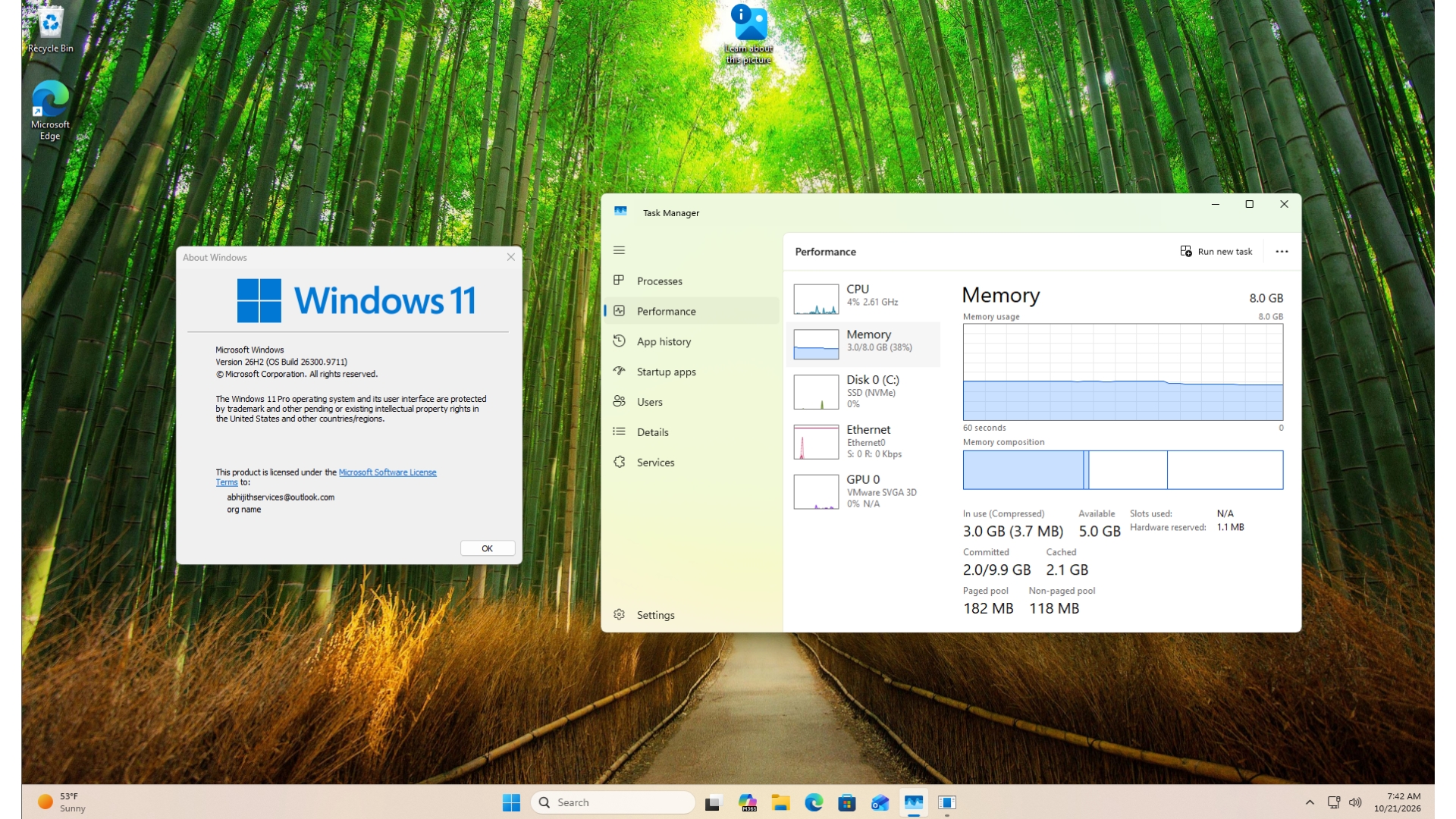
4GB vs 8GB vs 16GB vs 32GB: the comparison most buyers actually need
The timing here is not accidental. In October 2026 Windows Latest reported that Pavan Davuluri openly acknowledged the rising cost of memory is pushing Microsoft to make Windows 11 use less RAM, an unusual admission that the operating system's appetite had outrun what many buyers can comfortably afford. Tom's Hardware has tracked memory prices climbing by as much as 500% within twelve months, with a 32GB DDR5 kit quoted near $400.
| Memory tier | Comfortable today for | Where it strains | Our verdict for 2026 buyers |
|---|---|---|---|
| 4GB | Booting, one application at a time | Any real multitasking at all | Still Microsoft's published minimum for Windows 11, but treat it as a floor, not a spec |
| 8GB | Office work, capped browsing, streaming | Local AI features, tab hoarding, large spreadsheets | Keep it, install the update, do not pay today's RAM prices to expand it unless you must |
| 16GB | Browser plus office plus video calls, entry-level AI workloads | Heavy creative projects | The Copilot+ PC floor: Microsoft requires 16GB of RAM for machines carrying that label |
| 32GB | Creative work, virtual machines, local models | Price, rather than software | Now the most-reported tier in Valve's September 2026 Steam Hardware Survey at 42.22%, but gamers are not office buyers |
Note the skew before borrowing that statistic. Steam respondents are enthusiast machines, so the practical gap is that the gaming end moved upward while 8GB remained the default on affordable laptops. That gap is exactly what this update is trying to soften.
The trade-offs nobody puts in the headline
- Compression is not free. Holding more compressed data in memory means the processor spends time squeezing and expanding it. The win is fewer slow trips to storage, not less work overall.
- Widgets now wait for you. Skipping the preload saves about 200MB on 8GB computers, but the first time you open the panel you will watch it assemble itself.
- Sleeping tabs can disturb live pages. Microsoft Edge's own performance documentation lets you change the inactivity interval at edge://settings/system and keep selected sites awake, and that escape hatch exists for a reason: calls, dashboards and long-running web tools do not enjoy being paused after 15 minutes.
- A mechanical drive still hurts more than a memory shortage. The whole point of keeping data compressed in RAM is to avoid paging out to slow storage; on an old spinning disk, no update substitutes for a solid-state drive.
- It is a start, not a finish line. Microsoft says that over the coming months the compression mechanism will become smarter and more efficient, and that separate Windows features will share underlying components, with Search and Widgets possibly running on one common Web engine so the same job is not loaded twice.
Five misconceptions worth clearing up
- "My 8GB laptop is now an AI laptop." No. The Copilot+ PC tier begins at 16GB of RAM; Microsoft's own specifications page says devices below that still support Windows 11 features, they simply do not carry the label.
- "The 40% applies to everything I do." It is a multitasking ceiling measured in one laboratory scenario, not a general speed multiplier.
- "I should turn memory compression off to free RAM." Several consumer-tech guides recommend disabling it to lower the idle footprint. That hands back the core fix: Windows then pages to storage more often, which is precisely the reloading stall this release removes.
- "If nothing changed, the update failed." If memory was never saturated, there is nothing to reclaim.
- "Optimised software means they want better hardware." Microsoft's framing is the opposite: the improvements come from memory efficiency, with no increase in hardware requirements.
Action checklist: judge your own machine in ten minutes
- Install the latest Windows 11 update and restart once, so memory behaviour resets cleanly.
- Open Task Manager and note memory usage at idle, then reload your ordinary working set.
- Reproduce the stress honestly: a couple of large documents, a video, and a dozen or more Edge tabs.
- In Edge, visit edge://settings/system, confirm sleeping tabs are enabled, and add the sites that must stay awake.
- Stop pre-opening what you do not use. On 8GB, Widgets no longer loads in advance.
- Decide with evidence. If ordinary work pushes usage past 90%, the real answer is 16GB, and in 2026 that is a budget decision rather than a technical one.
FAQ: the four questions we keep getting
Is the update worth installing?
Yes. The changes apply automatically and target the exact failure mode of modest laptops: reloading the apps and tabs you had already opened.
Do 16GB machines gain anything?
Less, because the headline figures are explicitly about 8GB hardware. The lighter Edge browser and Microsoft 365 components still hand back headroom that other programs can use.
Should I buy an 8GB laptop now to save money?
Only for clearly bounded use. With a 16GB floor for Copilot+ features and memory prices volatile, an 8GB purchase is a "fine today, tight tomorrow" decision, and it is the resale value that usually suffers.
Will Windows keep getting lighter?
Microsoft says this release is the beginning of that work, with smarter compression and shared engines planned rather than a fresh hardware demand.
Bottom line
Artificial intelligence applications and local models keep raising the load on 8GB devices, which is why Microsoft's decision to attack mid-range hardware reads as reputation repair as much as engineering. For the large population still working on 8GB laptops, the practical benefit is real: a smoother day-to-day experience with no hardware spending at all. Our advice is to take the update, treat the 20% and the 40% as best-case ceilings, and make any memory upgrade decision from what Task Manager shows after a normal working day, not from what a press release promises.
Written by James Hartley for IT Insights, published on ITInsightsWorld. Corrections and reader questions: contact contact@itinsights.com.