
ItInsightsWorld General Guide: Obsidian Canvas vs. Heptabase for 2D Spatial Notes
A visual board can look identical from the user’s side while hiding incompatible storage choices underneath. That issue matters for ItInsightsWorld readers evaluating Obsidian Canvas and Heptabase, because the decisive difference is not how arrows are drawn but what remains true after a board is closed.
At first glance, the two products appear similar: both provide endless 2D space, side-by-side notes, and arrows. At the data layer, the designs move in opposite directions.
Obsidian Canvas places board layout inside .canvas files governed by the open JSON Canvas format. Heptabase does the reverse: whiteboards act as temporary perspectives over cards held in a central library.
The operational consequence is easy to state: an arrow drawn in Obsidian Canvas can be moved by software that understands JSON Canvas, but it does not enrich the vault graph; an arrow drawn in Heptabase is remembered by the linked cards across the workspace, while remaining inside that product’s database.
Architecture at a Glance: What Each Tool Stores
| Dimension | Obsidian Canvas | Heptabase |
|---|---|---|
| Foundational object | Markdown notes plus .canvas boards | Cards reused across the workspace |
| Placement model | A board is a single JSON Canvas file | The same Card Library entry can appear on several boards |
| What a line represents | Coordinates describe an arrow, not a vault relationship | A relation visible in Card Info and indexed across cards |
| Context behavior | The note stays unaware of the layout; the board carries it | Each card tracks the boards and linked cards around it |
| Openness and reach | Local text files can be parsed, but the arrows do not enter the graph | Cross-board relations accumulate, but cannot be reopened as an interactive open graph |
| Workflow fit | Roadmaps, architecture sketches, brainstorming boards, concept maps, and temporary scratchpads | Ongoing research and long-term thinking that connects visual exploration with writing |
Obsidian Canvas: The Board Is the File
Because local Markdown files are the foundation, Obsidian keeps a canvas as a file rather than as a separate object layer.
Placing Notes: .canvas Files and Embedded Views
Creating a board produces a .canvas JSON document on disk.
This produces a split in behavior:
- A card typed inside the board remains board content. If you create ten quick cards during one session, those cards exist inside the .canvas file until each is converted into a separate Markdown note.
- An existing note placed on a board is shown through a reference. The note remains an independent file; the canvas points to its path and renders an editable viewport.
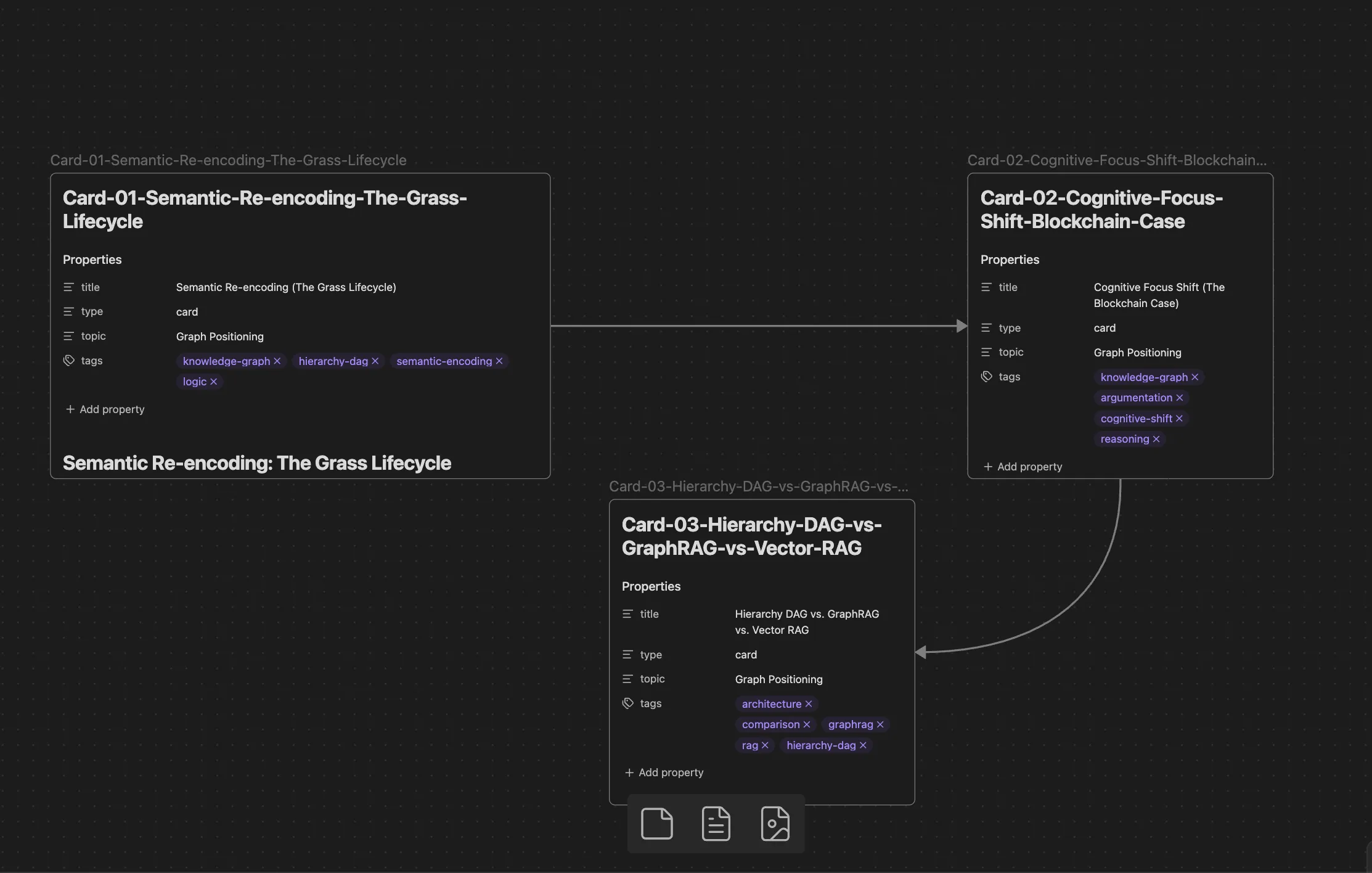
Arrow Data Does Not Become a Vault Relationship
Lines are not neutral. They decide how the system interprets adjacency.
Each arrow is stored as coordinate data inside one .canvas document. Because it is not written as a wiki link, Obsidian’s core link engine records no relationship between the connected notes. In discussions around the Canvas Links plugin, one user summarized the gap:
“visual connections in the canvas are not actual links and so don’t show up in graph view.”
Extensions may reveal which boards embed a file, but native board lines remain presentation data, not indexed graph edges.
Spatial Context Stays in the Board File
The file-centric design separates note identity from visual placement.
If a Markdown note appears on several canvases, the note does not learn that fact. It has no built-in record of the boards, adjacent cards, or arrow labels around it. Once you leave the .canvas file, only the linear note remains.
Best Use for Obsidian Canvas
Choose Obsidian Canvas when open local files, diagrams, and temporary spatial work matter more than automatic cross-board link accumulation.
Heptabase: Cards First, Boards Second
Heptabase separates note identity from display. Its atomic unit is not a document container but a card that can appear in several views.
Whiteboards Do Not Own Content
Official documentation states:
“Whiteboards do not own cards. All cards belong to the Card Library. The same card can be placed on multiple whiteboards at the same time.”
Because each board is only a perspective, the same card on several boards remains one live object, not copied content. Editing it in one place updates every view where it appears.
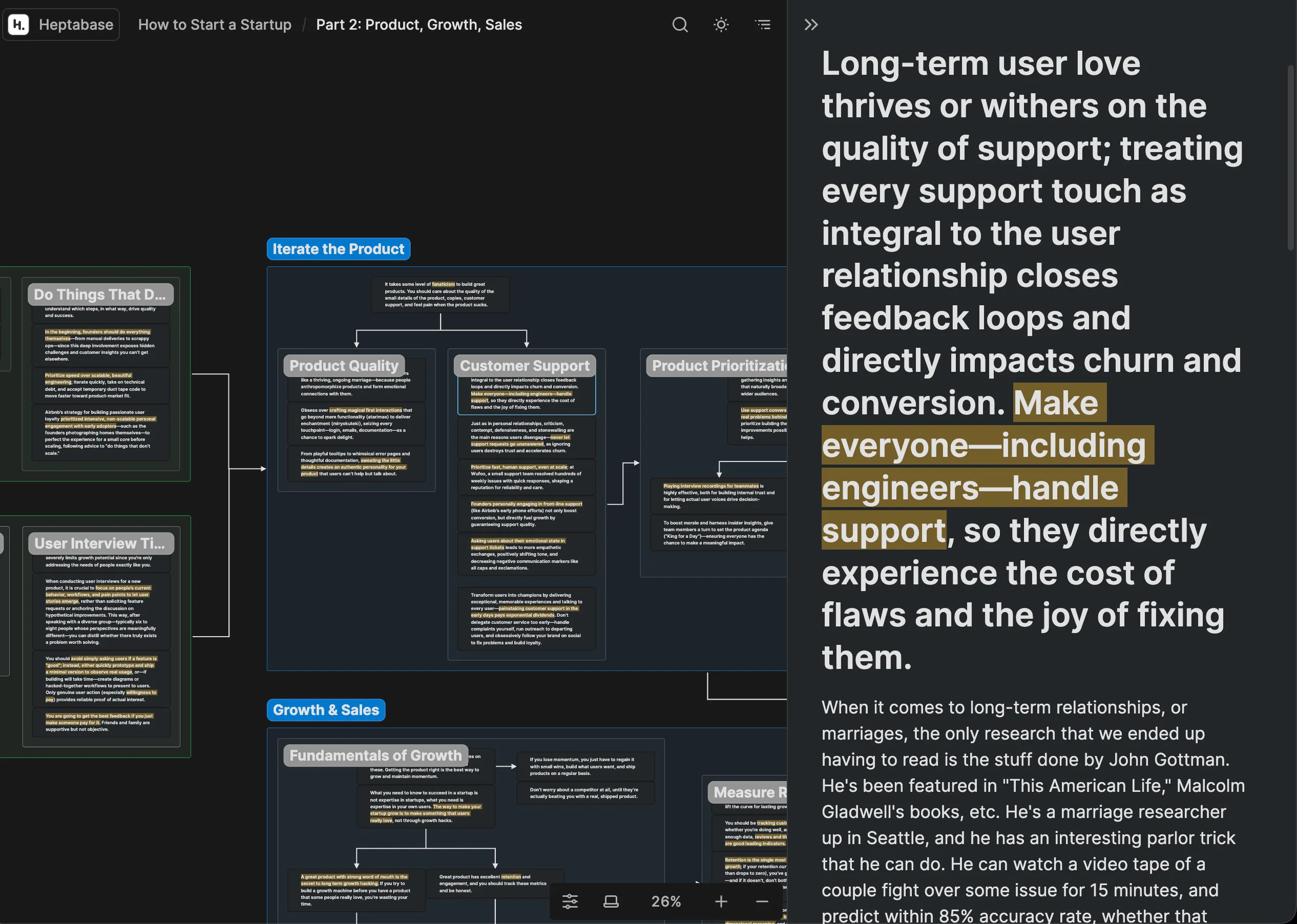
Connections Become Card-level Knowledge
When a line is drawn between two cards, the relation is exposed outside the board through the Card Info panel.
- Card A shows Card B as connected, along with the board where the line was drawn.
- Card B shows the opposite incoming relation.
- Following the entry can move you straight to the coordinates involved.
Inline mentions still support ordinary cross references, while whiteboard lines add a spatial layer that travels with the cards.
A Card Remembers Its Visual History
Global card storage preserves relational history.
- Every whiteboard currently containing the card.
- Every relation entering or leaving it across all boards.
- A direct route back to its position on any referenced whiteboard.
Even outside a board, the card remains linked to the spatial relationships it accumulated.
The Cost of Deep Integration
Heptabase gains cross-view relational awareness, but it does not expose that awareness through an open visual file format.
Obsidian Canvas stores layout as JSON Canvas, which scripts and external tools can read. Heptabase can export card text to Markdown, yet whiteboards come out as static images or flat lists. The interactive lines and spatial coordinates do not become an open graph that another application can reopen.
Best Use for Heptabase
Heptabase suits research work where PDF highlights, atomic cards, and spatial connections must compound over months. The price is accepting a product-specific database rather than a folder of durable plain-text files.
Limits of 2D Boards for Argument Production
Spatial tools help exploration, but argument production needs logic, not only proximity.
- A connection in 2D space says that items are related; it does not by itself encode support, contradiction, or prerequisite status.
- A map must be flattened before an essay, report, or memo can be read in sequence; during that translation, reasoning order can become implicit.
A Logic-Native Alternative: FluxLinks
Where whiteboards optimize visual arrangement and documents optimize linear reading, a proposition tree models claims, evidence, counterarguments, and dependencies directly.
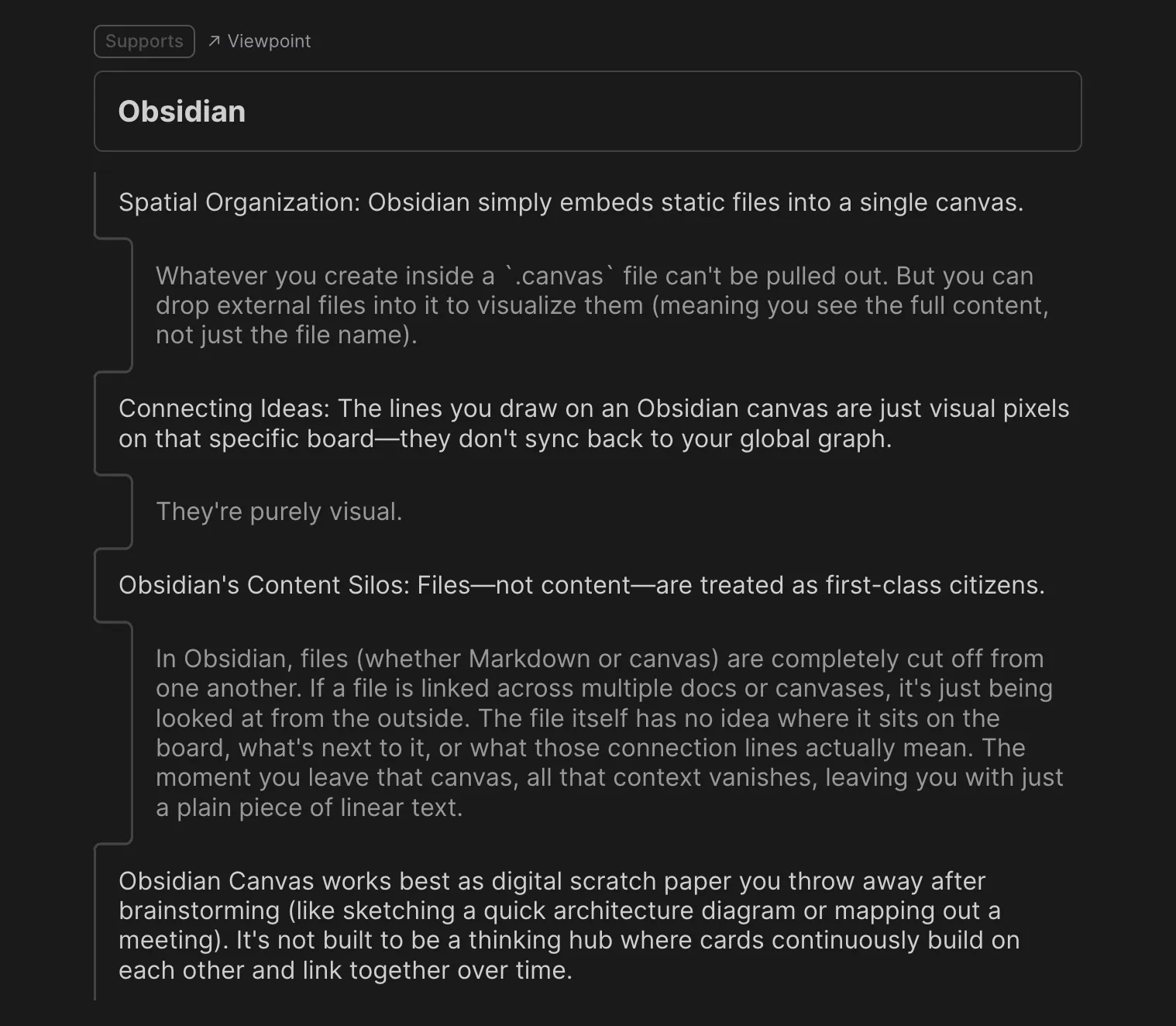
The argument structure for this ItInsightsWorld guide can be inspected as an interactive proposition tree in FluxLinks.
Which Model Matches Your Workflow?
- For file ownership and local portability, Obsidian Canvas keeps spatial work inside standard Markdown and JSON Canvas files, while serving lightweight boards for diagrams, concept maps, and temporary scratchpads.
- For cumulative visual research, Heptabase indexes card relations across boards, at the cost of a proprietary ecosystem.
- For reducing the translation from exploration into structured prose, FluxLinks centers on hierarchical claims and supporting logic rather than board coordinates.
Common Questions
Can Heptabase content move into Obsidian?
Card text can be written out as Markdown and then imported into an Obsidian vault. Whiteboards do not carry over their interactive structure: exports are static images or linear lists, so the spatial relational graph cannot be rebuilt in JSON Canvas form.
Do Obsidian Canvas arrows appear as backlinks?
No. They are layout records inside one .canvas file. They do not add wiki links to the connected notes and do not appear in graph or backlink panels.
Can separate canvases reuse a shared card?
They can reuse the same Markdown note, and edits to that note remain synchronized. The surrounding layout, neighboring cards, and arrow labels still live in each separate .canvas file, so the note itself lacks awareness of those board relationships.
Which option is more local-first?
Obsidian Canvas runs from local text and JSON files, without an account or network. Heptabase supports offline client edits, but its card library and sync operate through a proprietary cloud database.
Disclosure: Neither Obsidian nor Heptabase sponsored this post; this comparison was prepared for ItInsightsWorld by James Hartley. Contact: contact@itinsights.com.