
Muse Gets a Voice and a Face: Meta's Real-Time AI Avatar, Explained | ItInsightsWorld
Meta has added real-time voice conversation to its Muse AI assistant, so the character on your screen now listens, replies and reacts with facial expressions and gestures while you talk. The rollout started in the United States inside the Muse app, and it runs on phones, on the web and on Mac, with three ways to look at it: audio only, avatar beside the chat, or full-screen face-to-face.
Taken at face value, that sounds like a cosmetic update to an agent that already reads email, schedules meetings and books trips. Read as a strategic move, it is something bigger: Meta is pushing its personal agent out of a text box and into the moments when typing is inconvenient — standing at a kettle, walking to a train, hands covered in flour — and, next, onto glasses and a wearable pin.
What exactly changed in the Muse app
The short answer: Muse gained two channels at once. It now takes spoken input and returns a performed output, with a drawn face that moves in step with what it says. Meta attributes the experience to two underlying systems, Muse Realtime Voice for the conversation and Muse Realtime Avatar for the animated reaction.
What that adds up to in practice:
- You can speak instead of type, and the avatar mirrors the content of the exchange with expressions and hand gestures.
- Three display modes: listen to audio only, keep the avatar next to the running transcript, or switch to a full-screen, face-to-face conversation.
- Turn-taking behaves like a real call: you can interject, cut Muse off mid-sentence, or pick an idea back up after a pause.
- The voice is configurable: choose a style from hundreds of voices, or describe the pace, tone and accent you want in plain text and let Muse adjust itself.
- Works best on messy, unfinished thinking: blur out a half-formed plan and let Muse structure it, sketch a trip, rehearse a pitch, or sit through a mock interview.
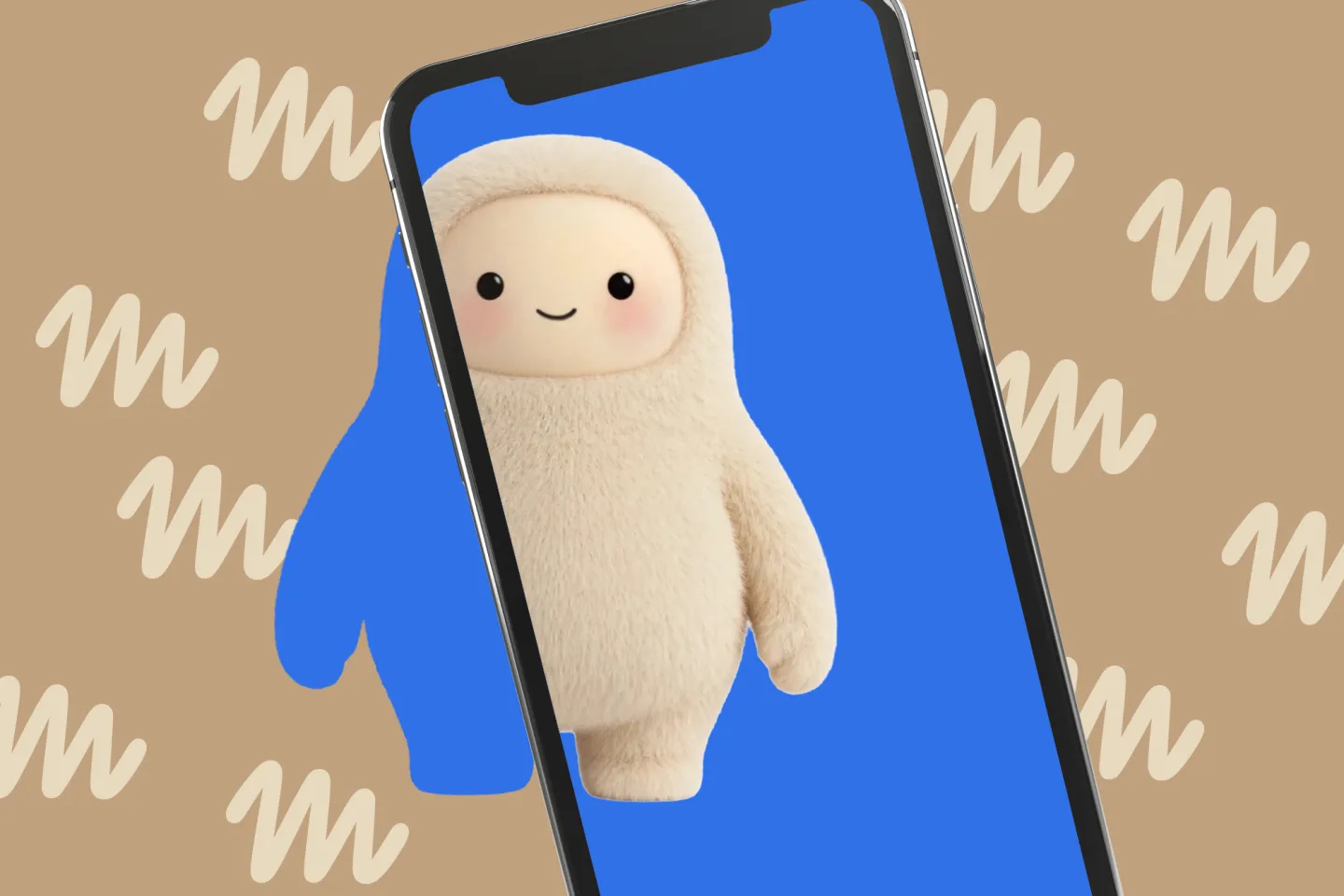
Why Meta is putting a face on an agent
Because a face is a distribution strategy, not a decoration. Typing requires a desk posture: an open app, a free hand, a willingness to read. Speaking removes all three, which widens the number of hours per day an assistant can be useful — and the number of places Meta can insert it.
Three commercial logics sit behind the update:
- Habit formation. An agent you talk to out loud becomes ambient, and ambient tools are harder to abandon than tabs you close.
- Device reach. Meta's own recap of Connect 2026 says the company was bringing Muse to its AI glasses "for hands-free access, activated by saying your agent's name" — a wake word attached to a persistent assistant, not a one-off query.
- Market timing. The infrastructure money is already flowing there: Grand View Research sized the global AI voice agents market at $2.54 billion in 2025, rising to $3.5 billion in 2026 and $35.24 billion by 2033, a 39.0% compound annual growth rate. Being the consumer product with a recognisable face in that category is a defensible position.
There is an accessibility angle that usually gets skipped in launch coverage. Voice input plus a persistent listening channel lowers the barrier for people who type slowly, have motor or visual impairments, work in a language they do not read fluently, or simply think better out loud. For those readers, an expressive avatar is not a gimmick; it is the difference between an app they open twice and an assistant they use daily.
Why the avatar can look impressive and slightly uncanny at once
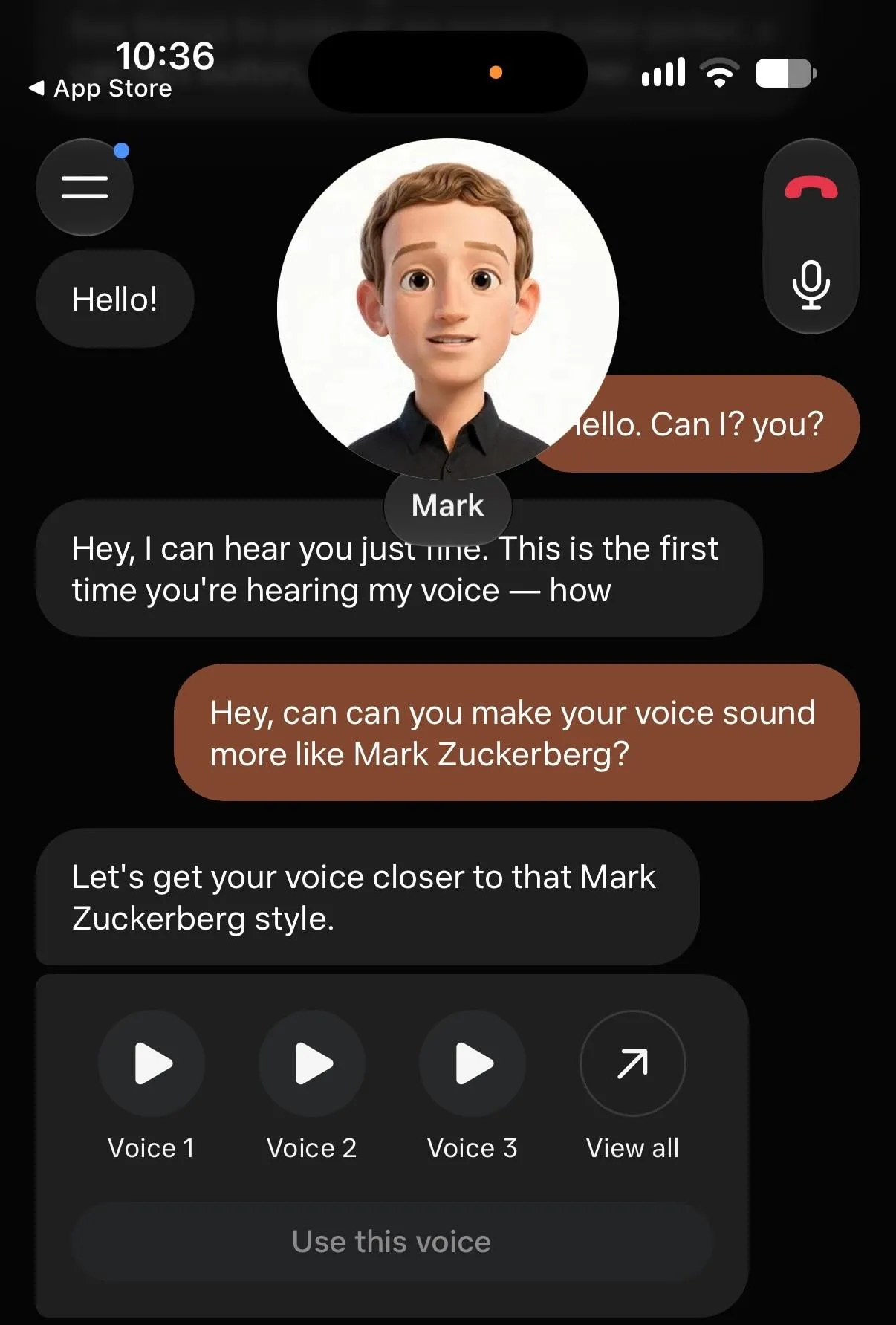
Expect polish with glitches — and that is a normal stage for this class of product, not a defect unique to Muse. The Verge's reporter who tested the feature found that Muse usually responded quickly but occasionally paused when it went to look something up; the avatar's animation worked well overall yet sometimes came across as eerie; and, notably, the voice could not fully reproduce the Mark Zuckerberg persona the reporter had selected.
Research gives a frame for the discomfort. A 2025 experimental review of humanoid interfaces in AI-based language models finds that the uncanny valley still shapes how much people accept an AI system and how effective they judge it to be — the mismatch between near-realistic appearance and imperfectly synchronised behaviour, rather than low realism alone, is what readers notice. Translation for Muse: a dropped gesture, a frozen expression mid-sentence or a pause during retrieval breaks the illusion faster than a cartoon face would.
The failed imitation of a chosen Mark Zuckerberg likeness is the more interesting detail. It hints at a coming conflict between personalisation (make my assistant sound like whoever I want) and voice-likeness policy (a real person's voice is not an asset users may copy without consent). Products that ship expressive personas will be pushed toward consent controls, licensed voice packs or deliberately non-human avatars.
Voice or keyboard: matching the channel to the task
The practical question for a general reader is narrower than "is voice better?". It is: which tasks do I stop typing?
| Situation | Talk to Muse | Type to Muse |
|---|---|---|
| Half-formed idea, structure still unknown | Strong fit — speech is faster than you can outline | Weak fit, you would be writing twice |
| Rehearsal: mock interview, pitch, wedding toast | Strong fit — the only format that gives you real timing | Unrealistic, no pressure on the clock |
| Trip planning while walking or commuting | Strong fit, especially once it reaches glasses and the Muse Charm | Awkward on a small screen |
| Numbers, contracts, code, long source documents | Poor fit — you cannot scan spoken output | Strong fit, easier to verify and copy |
| Open-plan office, shared couch, quiet carriage | Poor fit unless audio-only with earbuds | Strong fit, nothing leaks |
| You want a written artefact to forward | Medium fit — the transcript helps, but needs editing | Strong fit |
What to check before you start talking to your agent
A voice assistant is a recording device with a personality. That reframing changes the checklist:
- Retention. Ask how long raw voice clips and transcripts are stored. Voice-AI compliance guidance published in February 2026 by Speechmatics treats documented retention and deletion schedules as the baseline for any deployment.
- Training use. Look for an explicit opt-out from model training before you talk about anything sensitive.
- Discovery risk. Law-firm analysis from Holland & Knight points out that recordings kept by AI assistants can create record-keeping and disclosure obligations that a handwritten note never would — relevant if you record work conversations.
- Wake-word exposure. Once the assistant lives on glasses or a pin, other people in the room are recorded implicitly. That is a consent problem, not a settings problem.
- Content rules of thumb. Do not dictate passwords, ID numbers, patient details, salary figures or client-confidential material into any consumer agent.
FAQ: questions readers ask first
Is Muse's live voice available everywhere?
No. Meta began the staged rollout in the United States inside the Muse app, on mobile, web and Mac. Availability outside that market follows the rollout rather than a single global switch.
Do I have to look at the animated avatar?
No. You can listen to the voice only, keep the avatar alongside the chat, or go full-screen face-to-face. If the animation reads as uncanny to you, audio-only mode sidesteps the issue entirely without changing the model behind it.
Can I interrupt it, and will it interrupt me?
Interruption works both ways by design: the voice supports natural interjections and real-time cutting-in, which is the difference between a call and a dictation machine.
Will it work when my hands are busy?
Meta says voice conversations are also coming to its AI glasses and the Muse Charm wearable, so you can talk to the assistant when your hands are occupied or you are on the move. Treat that as direction rather than a date.
Is a talking face actually more useful, or just more entertaining?
More useful for exploratory work — brainstorming, planning, rehearsing — and no more useful for precise work. Use the comparison table above as a quick filter.
Trend read: three things to watch next
The following is analysis by IT Insights, based on the announced facts and the market data cited above, not on any statement from Meta.
- Persona becomes the lock-in layer. Memory plus a name plus a face plus a voice you tuned is a switching cost no benchmark can capture. Expect every consumer agent vendor to copy the expressive wrapper within a product cycle.
- Distribution moves to always-listening hardware. A wake word on glasses or a charm puts the agent in more hours of the day than any app. The constraint will be battery and social tolerance, not model quality.
- The realism ceiling gets policed. Attempts to make an assistant sound like a specific famous person, such as the Mark Zuckerberg test The Verge reported, collide with voice-likeness rights. The likely outcome is licensed voice packs and clearer consent, not free-form impersonation.
Action checklist: your first fifteen minutes with a talking Muse
- Start in audio-only mode; add the avatar once you know how you feel about the voice.
- Pick one voice from the hundreds on offer, then try the text-description route and specify pace, tone and accent to see which you keep.
- Run a low-stakes task first: dump a messy idea and ask Muse to structure it out loud.
- Deliberately interrupt the assistant twice to test turn-taking before you trust it with a real rehearsal.
- Try one mock interview or one pitch run-through, timing yourself — this is where the new channel clearly beats typing.
- Open the privacy settings and settle two decisions before any sensitive session: retention window and training opt-out.
- Keep numbers, contracts and code in the text thread, and treat the voice mode as the thinking layer, not the record layer.
Sources and further reading
- TechCrunch, "Meta says US users can now video chat with their Muse AI avatar" (5 November 2026) — https://techcrunch.com/2026/11/05/meta-says-us-users-can-now-video-chat-with-their-muse-ai-avatar/
- Meta, "Everything We Announced at Meta Connect 2026" (September 2026) — https://www.meta.com/blog/meta-connect-2026-everything-we-announced/
- Grand View Research, "AI Voice Agents Market Size and Share Report, 2026–2033" — https://www.grandviewresearch.com/industry-analysis/ai-voice-agents-market-report
- Acta Psychologica / ScienceDirect, "Humanoid interfaces in artificial intelligence-based language models" (2025) — https://www.sciencedirect.com/science/article/pii/S0001691825003105
- Speechmatics, voice AI compliance guidance on retention and deletion (February 2026)
- Holland & Knight, "AI Meeting Assistants: Privacy, Security and Data Ownership Issues" (August 2026)
- The Verge, hands-on reporting on Muse's real-time voice and avatar behaviour
Written by James Hartley for ItInsightsWorld, General. Spotted an inaccuracy in this explainer? Contact IT Insights at contact@itinsights.com.