
iPhone Duo After About Two Weeks: An ItInsightsWorld General Guide to App Readiness
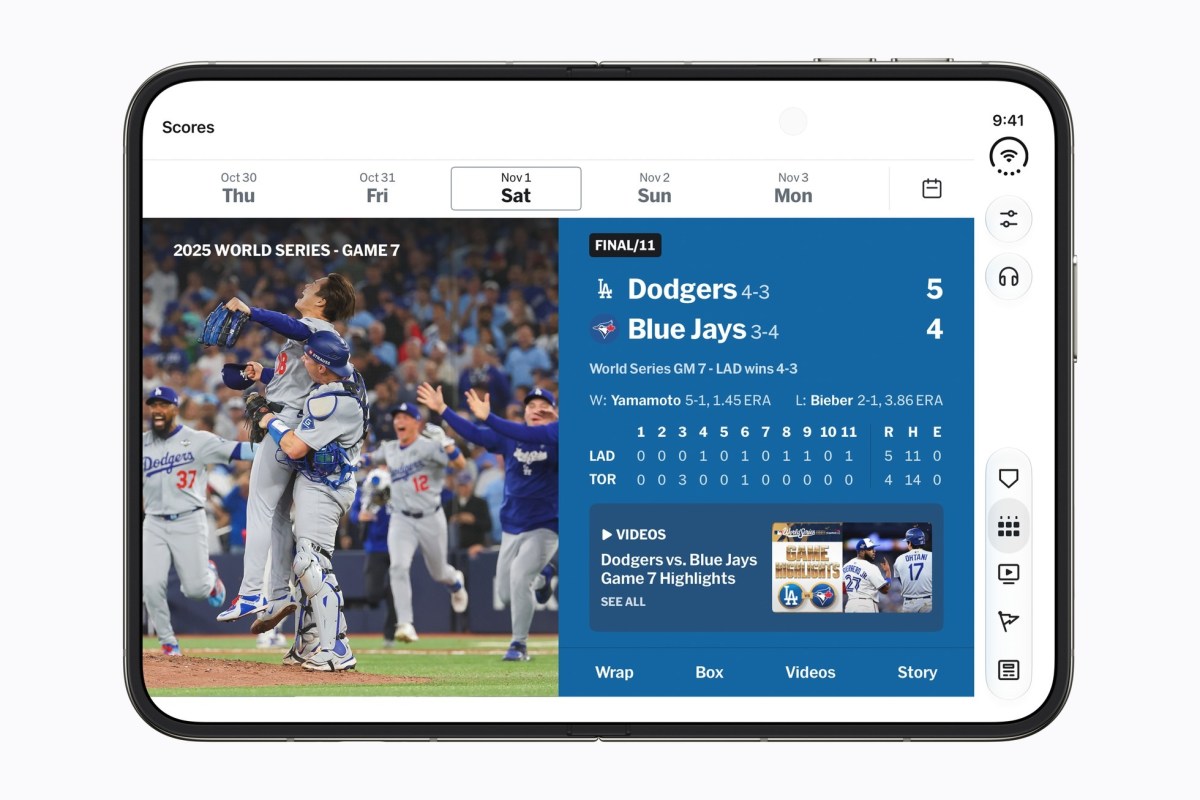
Apple’s foldable iPhone Duo has now been in customers’ hands for about two weeks, and the buyer verdict is conditional rather than absolute. For general readers, the most important question is not whether more than 100,000 apps are optimized, but whether the apps used every day have reached the inner display. Current support is strong enough for mainstream productivity and media, while niche workflows may still need waiting.
As Apple’s first foldable iPhone, iPhone Duo has two usable display surfaces. That hardware choice creates a software question: can apps make the big screen feel purposeful, or do they merely enlarge a familiar phone layout? The next sections separate the headline numbers from practical decision-making.
What Has Changed for iPhone Duo Apps Since Launch?
Susan Prescott, Apple’s vice president of Worldwide Developer Relations, said developers responded faster than expected. Currently, Apple says more than 100,000 apps built for iPhone Duo are available in the App Store, and new optimized apps continue to appear every day. External reports of Apple’s statement add that thousands of optimized apps are being added daily.
For a new hardware category, that speed matters. A foldable phone is not only a screen size change; it changes how users hold, split, preview, and return to apps. The badge system makes that shift visible: apps optimized for the format show the “Made for iPhone Duo” label inside the store.
Which Apps Already Make the Foldable Format Useful?
Apple’s recently updated examples cover a broad slice of everyday mobile use. Microsoft Word, Excel, OneNote and PowerPoint represent office and note-taking work. Zoom, Instagram, WhatsApp, YouTube, Netflix and Amazon Prime Video cover meetings, social feeds and video. Goodnotes, Fantastical, Flighty, Etsy, Halide Mark III, NBA, NHL and SmartGym extend the list into note taking, scheduling, travel, shopping, photography, sports and fitness.
| Buyer scenario | Representative optimized apps | Practical benefit on the inner screen |
|---|---|---|
| Document editing and study | Microsoft Word, Excel, OneNote, PowerPoint | More visible context, side-by-side editing and note organization |
| Meetings and communication | Zoom, WhatsApp, Instagram | Larger participants, clearer media and easier multitasking |
| Video and sports | YouTube, Netflix, Amazon Prime Video, NBA, NHL | A bigger viewing area without changing to a tablet |
| Travel, shopping and lifestyle | Flighty, Etsy, Goodnotes, Fantastical, Halide Mark III, SmartGym | Maps, itineraries, visual notes and hobby workflows can occupy more space |
Is 100,000 Apps Enough Compared with the Whole App Store?
The positive signal is that 100,000 apps is not a small sample. The negative signal is that the App Store contains millions of apps. That contrast is the main reason a buyer should not treat the milestone as a guarantee of a fully folded software library. Some familiar services arrive later; Google Maps, for example, received a Duo-specific update not long ago, showing that even important mapping apps can take time to catch up.
A launch-day tech-media analysis reported that 33 of 50 popular apps had not completed adaptation. That data point should be read as a snapshot rather than a permanent judgment, but it explains why the first few weeks may feel uneven for users whose daily routine depends on a specific service.
What Happens to Apps That Are Not Yet Optimized?
Old apps still run. They do not disappear from the system, and they can be opened normally. The cost is not compatibility but experience. Without optimization, they cannot fully use the internal large screen, and in the unfolded position they often fail to deliver the best visual layout. For a casual reader, that may mean black bars or a phone-like interface. For a professional, it may mean slower work.
How Are Developers Closing the Remaining Gap?
Apple says applications built with standard SwiftUI and UIKit components can automatically adapt to the outer and inner display environment. The company has added development interfaces that let teams create layouts around different folding angles, hinge poses and multiple display modes. The result should move apps from “opens correctly” to “uses the hinge intentionally.”
The company has also pushed hands-on support. In the past month, Apple held more than 50 offline developer events in 19 cities, with over 2,000 developers participating. Apple’s developer news adds a timeline marker: starting in April 2027, apps and games submitted to the store will need screenshots for iPhone Duo. Its newsroom also highlights Device Hub in Xcode 27.1, which lets developers simulate opening, closing, folding and rotating the device before release.
What Are the Most Common Mistakes When Judging Readiness?
- Treating one total as one experience. 100,000 apps is a large number, but it does not prove that every app a reader uses has adapted.
- Assuming “Made for iPhone Duo” means a perfect app. The badge signals optimized support for the format; it does not replace reviews or testing.
- Checking only the unfolded screen. A useful foldable should also make sense half open, closed, and with notifications or controls positioned around the display controls.
- Ignoring the difference between old apps and new APIs. Standard SwiftUI and UIKit support reduces friction, but apps that want hinge-specific value still need design work.
- Waiting for all apps to arrive. If Apple’s pace continues, waiting may mean missing useful early workflows.
Who Should Buy iPhone Duo Now, and Who Should Wait?
| Reader profile | Buy now? | Why | What to check first |
|---|---|---|---|
| Mainstream productivity users | Yes, if core tools are already on the optimized list | Microsoft Word, Excel, OneNote and PowerPoint show that office work can already benefit from the fold | Check whether niche enterprise apps are also adapted |
| Media-heavy users | Mostly yes | YouTube, Netflix, Instagram and WhatsApp cover common daily entertainment and communication | Look for apps that need background playback or picture-in-picture |
| Travel and shopping users | Yes | Flighty, Goodnotes, Fantastical, Etsy, Google Maps and similar tools now have a wider canvas for planning | Confirm the exact airline, hotel or store app you rely on |
| Highly specialized workers | Wait, unless the key app is already badge-marked | A single unoptimized vertical app can erase the phone’s value | Ask whether the app supports inner-screen layout, not just launches |
What Is the Action Checklist Before Buying?
- Write down the ten apps you use most often, not the ten you find impressive.
- Search each app in the App Store and look for the Made for iPhone Duo label.
- Read recent reviews from users who mention screen size, split view or hinge states.
- For work tools, verify that editing, export, notifications and camera functions still work in the folded position.
- Give yourself a waiting rule: if one essential app is missing, wait; if only minor apps are missing, consider buying.
Will the iPhone Duo App Gap Shrink Over Time?
Apple expects the ecosystem speed to keep improving. As more developers gain real-device testing time, the company says more apps should take advantage of the fold over the coming months. That is the practical bridge between the first wave of 100,000 apps and a mature daily-use library. For buyers, the key metric is not the date of a future announcement, but the monthly change in the apps you personally use.
Frequently Asked Questions
Is iPhone Duo worth buying after about two weeks?
Yes for readers whose main apps are already adapted; wait if a single niche app is essential to work or daily life.
Does “more than 100,000 apps” mean most apps are ready?
No. 100,000 apps is a large optimized base, but the App Store still contains millions of apps, so coverage can vary widely by workflow.
Why do some apps not use the big screen?
Because they are old builds that can launch but have not been redesigned for the inner display, folding angles or multiple display modes.
Is April 2027 a hard deadline for all apps?
The developer note says apps and games submitted from April 2027 will need screenshots for iPhone Duo. It is a store-submission requirement signal, not a claim that every existing app is automatically rebuilt by then.
Written by James Hartley for ItInsightsWorld.
Reference Sources
- Apple developer news, “Prepare and submit your apps for iPhone Duo,” https://developer.apple.com/news/?id=kkphp5qo.
- Apple Newsroom, “Developers bring incredible new app experiences to iPhone Duo,” https://www.apple.com/newsroom/2026/10/developers-bring-incredible-new-app-experiences-to-iphone-duo/.
- Technology reporting on Apple’s iPhone Duo app statement, https://www.theverge.com/tech/1028813/apple-iphone-duo-optimized-apps.
- Launch-day compatibility snapshot, https://k.sina.cn/article_7879848900_1d5acf3c406803cphm.html.