
ItInsightsWorld Playbook: Turning a TV Startup Ad Into a Grade 7 Study Gate
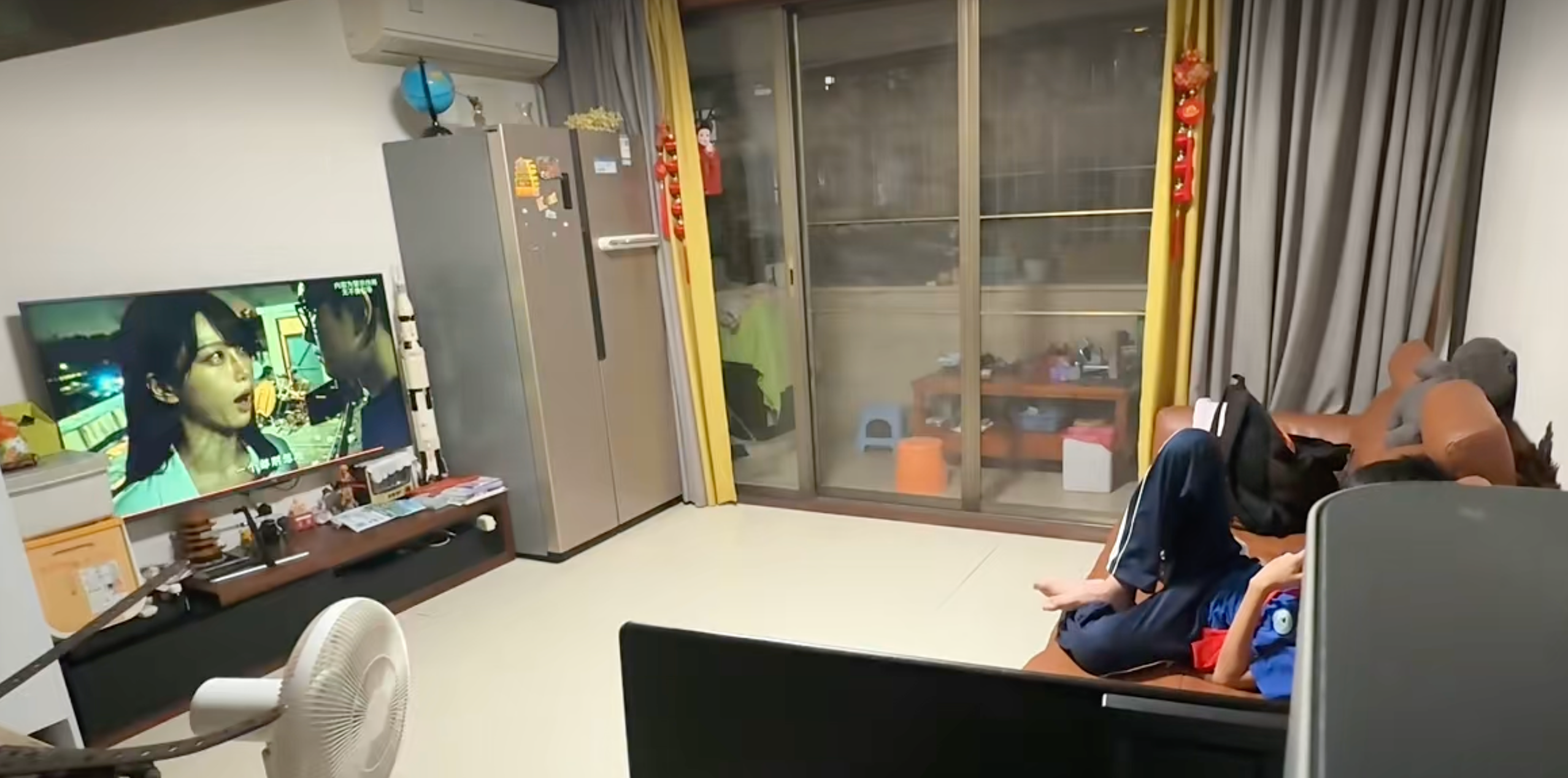
A television in one home is now functioning less like a screen and more like a homework supervisor. The father in a widely shared story said he was often out late doing designated-driver work while his son watched TV without restraint. Rather than only arguing about screen time, he reshaped the TV experience and replaced the startup ad with a question popup built around the child's textbook edition and school pace. The screen targets Grade 7 material and uses three subjects: Chinese, math and English. Every 10 minutes, the program pauses and presents one question. A correct answer unlocks more viewing; a wrong answer triggers an extra question.
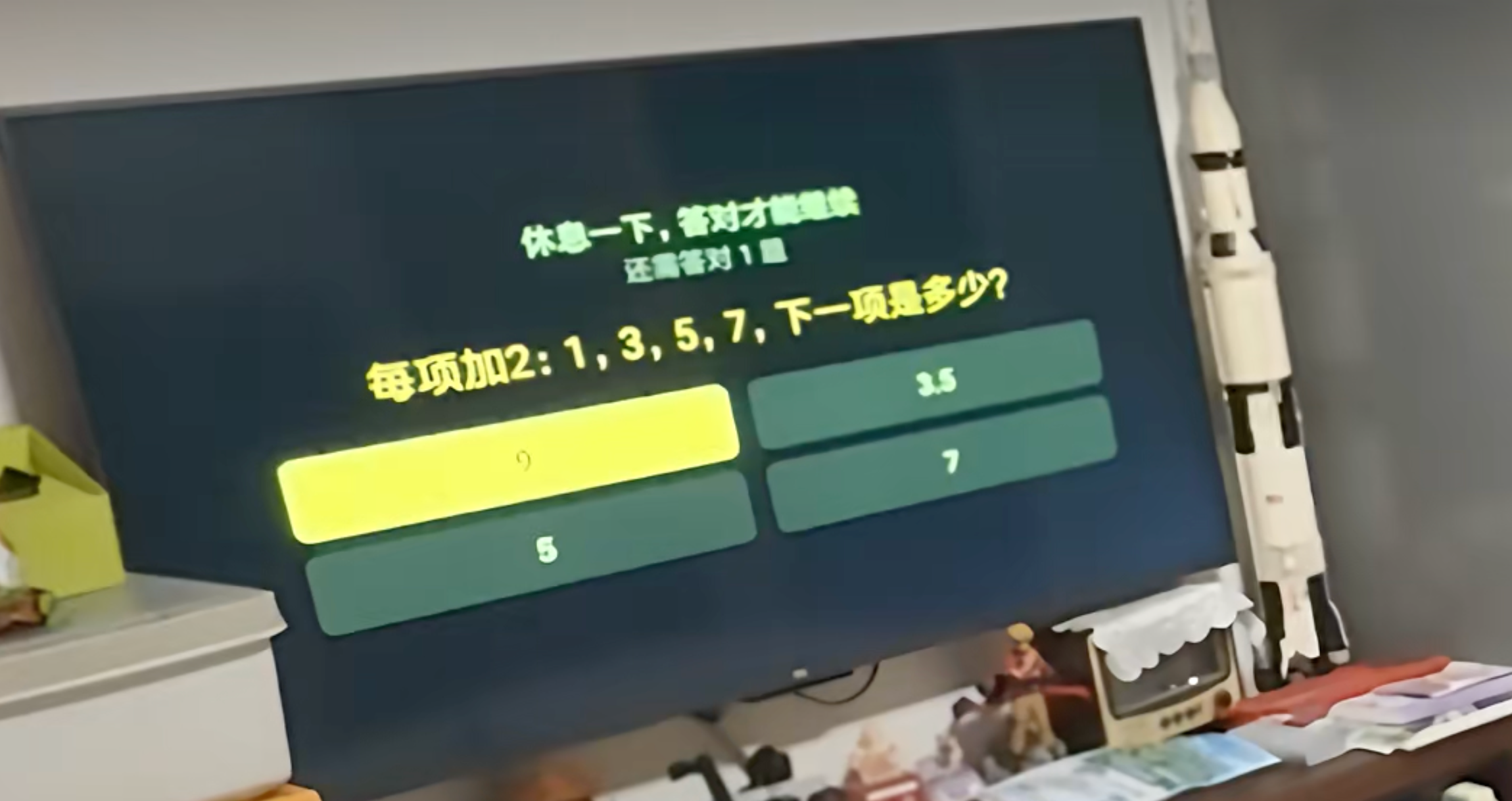
The system was not foolproof at the beginning. On the first time, the boy recognized the setup as something his father had arranged and tried cutting the power and restarting it. That gap has since been closed: now the question appears as soon as the TV starts. The footage shared by the family shows the boy accepting reality, sitting in front of the screen and answering calmly.
The father describes the routine as a father-and-son offense-defense game. He says he allows his son to test many ways to break it, while he handles the countermove: patch the gaps by every available means. His original hope was that a few questions would make the habit less attractive. The early result is not a clean victory, so he plans to raise the difficulty rather than abandon the method.
The reaction from viewers explains why the story spread. One comment summed it up with: “That is the way teen mode and pop-up ads should look.” The line is humorous, but it points to a real frustration. Smart TV startup ads have often felt like a tax on the user's attention. In 2019, a special consumer-protection investigation in Jiangsu province reported 15,858 valid online questionnaires; 96.4% of respondents said their smart TVs carried startup ads, and 50.16% said the ads could not be stopped midway (source: people.com.cn).
Regulators have increasingly focused on the first screen as well. In December 2023, the national radio-and-TV administration said cable TV terminals should enter full-screen live broadcast by default and that set-top boxes should finish startup within 35 seconds, aiming for a simpler and faster experience (source: nrta.gov.cn). That public debate helps explain the appeal of the father's design: it changes the value of an unavoidable interruption from selling something to checking something useful.
What This Household Experiment Teaches Families
The case is not a software tutorial. The useful lesson is a control framework: make the screen pass a small, relevant, time-limited checkpoint before it gives entertainment. For a household seeking order without daily nagging, the pattern is easier to adapt than a blanket ban.
| Control method | How it works | Common failure | Better use |
|---|---|---|---|
| Pure time limit | The TV stops after a fixed period. | The child treats the limit as punishment and negotiates. | Use it as a floor, not the only rule. |
| Content whitelist | Only approved apps or channels appear. | It can still become passive, long-duration viewing. | Combine it with checkpoints and breaks. |
| Startup ad style interruption | The screen inserts a forced message before content. | Users resent the interruption as advertising. | Replace it with a learning or family task. |
| Quiz gate | One question appears every 10 minutes; wrong answer adds one more. | If difficulty is too low, it becomes a formality. | Match it to textbook progress and review gaps. |
Practical Steps That Do Not Require Rewriting Firmware
Most families should not start by modifying a TV system. They can copy the logic first, then test the result.
- Define the goal in one sentence: "screen time must include learning, movement or family conversation."
- Choose the trigger: startup, app opening, episode end, or every 10 minutes.
- Select a small task: a Grade 7 question, a vocabulary card, a spelling check, a short math item, or a one-minute stretch.
- Set the unlock rule: answer the task, wait through the break, or check in with a parent.
- Record what works for one week: skipped sessions, completed tasks, time spent, and emotional tone.
- Adjust once, not ten times: raise difficulty, change subject rotation, or shorten the wait.
Common Pitfalls to Avoid
- Turning every interruption into a quiz can make school feel like a trap.
- Random questions that ignore textbook edition lose credibility quickly.
- A gate that is too hard creates conflict rather than autonomy.
- Hidden rules confuse children; visible routines invite cooperation.
- Relying only on technology ignores the parent's role in the system.
Action Checklist Before You Add a Screen Gate
- Use official parental controls, scheduled limits, or a router app first.
- Keep at least one non-screen reward so the child does not feel cornered.
- Make the checkpoint short enough that it is possible, not merely clever.
- Review the task content every week so it matches real school progress.
- Document the rules visibly: a chart, a note, or a shared family list.
FAQ: Would the Same Idea Work for Other Households?
It can, if the interruption is relevant and consistent. The father's pop-up works because it connects to school material and appears at a predictable cadence. A generic reminder, such as "stop watching now," often feels arbitrary. A small task gives the child a path to earn time, which changes the interaction from confrontation to a rule with a finish line.
It may fail when parents treat the popup as a substitute for attention. If the father had never discussed why the TV was changed, the system would likely be resisted. In this case, the father treats the arrangement as part of an ongoing game: he lets the child explore, then patches the gaps by every available means.
Another risk is privacy. Any custom firmware, unknown app, or router-level control should be tested for safety before it is placed on a family device. The public examples of startup-ad complaints show that forced interruptions can quickly become irritating; the same force applied to a child must be proportionate and transparent.
Final Takeaway
The story is memorable because it converts an annoying commercial slot into an educational pause. It also reveals a practical principle: screen-time control works best when it is specific, short, tied to the child's actual routine, and paired with a visible review loop. The father plans to upgrade the difficulty because a few questions did not make the habit vanish. The next question for families is not whether they can block TV use, but whether their interruption helps the child learn something worth doing.