
MacBook Pro Gets a Touchscreen, iPadOS and macOS Stay Apart: A 2026 Buyer's Decision Guide
Skip the speculation: no single Apple device is coming to swallow both categories. That was the practical message delivered recently on Apple's earnings call, where CEO John Ternus repeated that the company has "no plans to make any fundamentally different change" in how it separates its computer and tablet software. For shoppers, the conclusion is simpler than the headline. Buy the machine that runs the software your work actually needs — not the one that happens to have a touchscreen, a Dynamic Island, or Mac-style windows.
What Apple actually said, and to whom
The exchange happened on the fiscal fourth-quarter 2026 report call. Arete Research analyst Richard Kramer asked whether the newest MacBook Pro — which now absorbs capabilities that used to belong to iOS, including touch input, the Dynamic Island, and Siri-driven assistance — meant Apple would push macOS and its mobile systems closer together, or eventually merge them into one platform to simplify development and cut maintenance cost.
Ternus answered by defending two separate lines. He said Apple is proud of both Mac and iPad, that the company has always been willing to move features and capabilities across the ecosystem so the devices hand off work to one another, and that the design goal is to make every product the best version of itself rather than an average hybrid. Citing the new MacBook Pro as a large step forward over its predecessor, he added that even if a different plan existed, Apple would not discuss it in advance.
This is not a new position, and the 2025 reasoning is the clearest version of it. That year, Apple's software engineering chief Craig Federighi told interviewers he did not want the iPad to run macOS, using the cutlery hybrid — the spork — as his warning: combine a spoon and a fork and you get a tool that fails at both ends, because it is neither a good spoon nor a good fork.
Why "merge the systems to save money" is the wrong cost story
The analyst's premise was financial: one OS, one code path, lower engineering overhead. The rest of that same earnings call undercuts it. Coverage of the meeting, including MacRumors' takeaways, shows Apple's margin pressure this cycle is coming from components rather than software upkeep — Ternus described the memory-chip cost situation as "unprecedented" and signalled further pressure in the December quarter, even as the September quarter set records. In other words, consolidating macOS and iPadOS would not have removed the cost that is actually squeezing the product line, while it would have destroyed two carefully tuned interfaces.
That reframes the debate for readers. The merge question is not a budget decision inside Apple; it is an ergonomics and software-portfolio decision. And every public move since suggests Apple is buying optionality at the edges, not at the core.
The convergence that is real: hardware at the edges, software in the middle
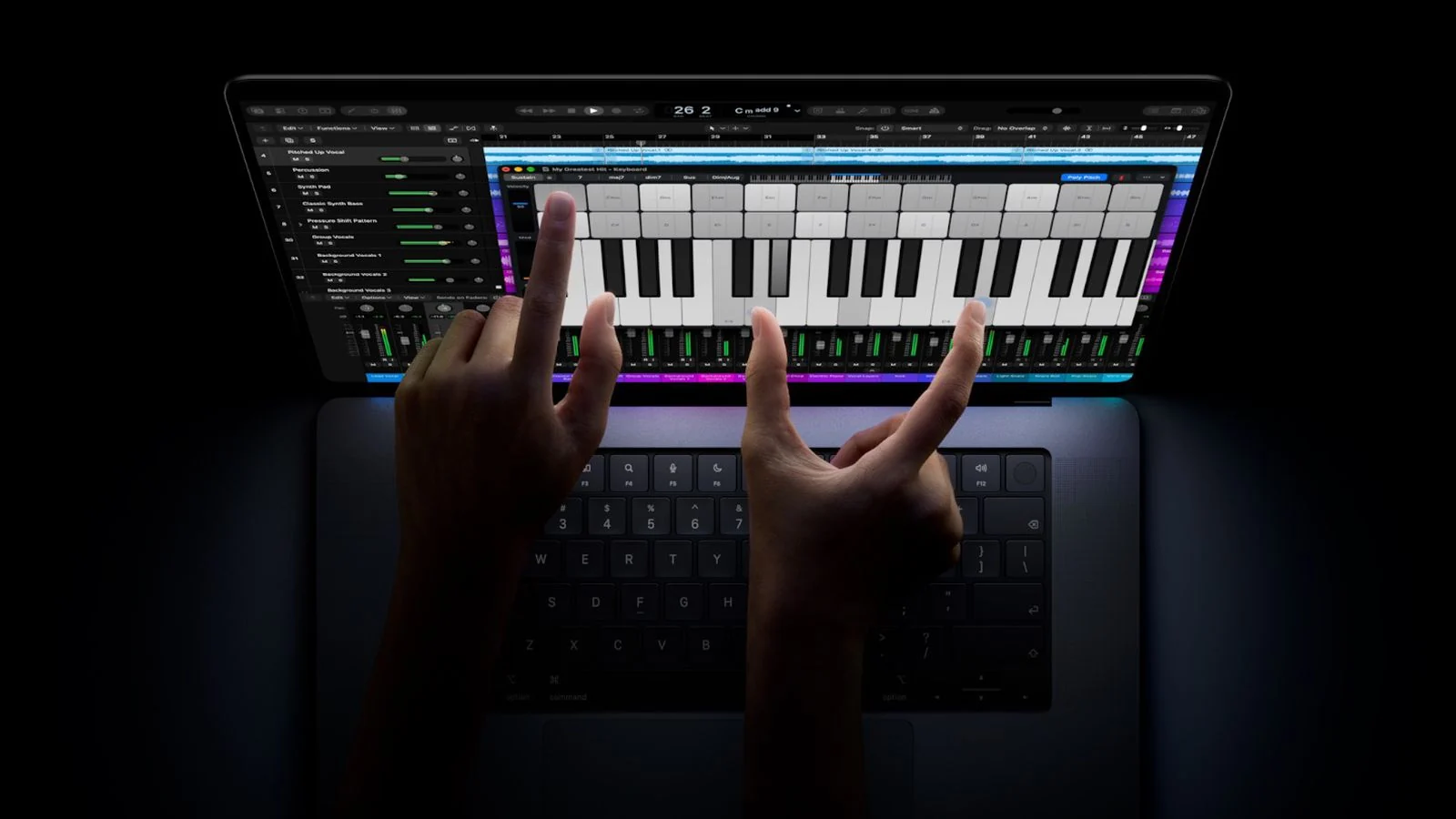
What Apple announced on October 28 is easy to misread. Per Apple's own Newsroom release and The Verge's buying guide, the new MacBook Pro with PROLED XDR Display ships in 14-inch and 16-inch sizes with M5 Pro or M5 Max silicon, a tandem OLED panel with touch support, a Dynamic Island that now hosts Spotlight, Live Activities, and Siri, and pricing that starts at $2,899 for the 14-inch and $3,399 for the 16-inch. Bloomberg had reported back in February that Apple's first touch Macs would pair OLED with the Dynamic Island, so the feature set arrived on schedule, not as a surprise pivot.
At the same time the tablet moved the other way. iPadOS 26, shipped in autumn 2025, added resizable windows, a menu bar that exposes app commands when summoned, a precise arrow pointer instead of the old blob cursor, and support for external displays — the most Mac-like iPad software to date, as documented in Apple's own multitasking support guide and summarised by MacRumors. Meanwhile Final Cut Pro and Logic Pro on iPad now require iPadOS 26.6 or later on an M-series or A16-or-later device, according to the App Store listing.
So both products now borrow each other's signature inputs. Borrowing is not merging, and the distinction is where most buying mistakes happen.
Side by side: what a touchscreen Mac still cannot replace
| Decision factor | MacBook Pro with PROLED XDR (2026) | iPad Pro with M5 on iPadOS |
|---|---|---|
| Operating system | macOS — desktop file system, menu bar, terminal, background processes | iPadOS — app-sandboxed, windowed multitasking, no general-purpose desktop environment |
| Input | Keyboard, trackpad, pointer, and now touch as an added layer | Touch and Apple Pencil first; keyboard and trackpad optional |
| Development tooling | Xcode, simulators, command-line builds; Apple's developer documentation also lets you debug and test iOS apps natively on Apple silicon Macs | Swift Playgrounds and remote workflows; no full native toolchain for building, signing, and profiling apps |
| Pro media apps | Full desktop apps with plug-in ecosystems and long-form timelines | Final Cut Pro and Logic Pro available, but subscription-oriented and feature-scoped |
| Multitasking | Free-form windows across internal and external displays | Windows, menu bar, and tiling since iPadOS 26; still organised around one device |
| Portability and drawing | Clamshell, heavier, no pen | Light, camera-first, Apple Pencil support — the reason illustrators pick it |
| Entry price (US) | From $2,899 (14-inch) | 13-inch M5 model launched in October 2025 from $1,299 (Wi-Fi) |
Read down the left column and the argument for two products becomes obvious: the differences are not about whether a finger can tap the glass. They are about file access, toolchains, display geometry, and how long you sit in front of the thing.
Common misconceptions to drop
- A touchscreen Mac means a merged OS. Touch is an extra input channel on hardware Apple already sells; macOS remains a distinct operating system from iPadOS.
- The iPad is now a Mac replacement. iPadOS 26 closes the multitasking gap, but building, signing, and profiling software, running arbitrary desktop files, and controlling multiple monitors remain Mac territory.
- iPhone apps will run untouched on the new MacBook Pro. Apple's developer docs describe testing and debugging iOS apps on Apple silicon Macs as a development workflow, not a guarantee that every mobile app behaves sensibly under a desktop shell.
- Unification would lower your price. Component costs, not duplicated software teams, are the variable Apple flagged as unusual this quarter.
- Waiting is free. Delaying a purchase for a rumoured merged device means paying today's prices later, with no announced product on the horizon.
A six-question checklist before you choose
- Which specific apps must run — and is any of them a Mac-only or iPad-only title?
- Do you need a pen, or mostly a keyboard and pointer?
- Do your files live in a folder tree you browse directly, or inside app sandboxes?
- Will you compile code, edit long-form video, or run many simultaneous windows?
- How often are you working away from a desk, and does weight matter for that routine?
- Which second device do you already own, since Continuity features decide much of the value?
That last point deserves emphasis: the "one experience" Apple actually sells is plumbing between devices, not a shared OS. Handoff, Sidecar, and Universal Control are documented requirements-level features — Universal Control needs macOS 12.3 or later together with iPadOS 15.4 or later, while Sidecar requires an Apple Pencil-capable iPad on iPadOS 13.1 or later. Those pages read like a checklist of a deliberate two-system strategy.
Scenarios and trade-offs
Students, writers, note-takers
The tablet wins on cost, battery-to-weight ratio, and handwriting. The trade-off is document management: long reference sets, side-by-side PDFs, and file exports still feel like work on iPadOS.
Illustrators and photographers on the move
Apple Pencil plus a tandem OLED reference display is a legitimate studio setup. Pair it with a Mac for tethered capture and final export rather than expecting one device to do both jobs well.
Developers and IT teams
Mac first. Beyond Xcode, the new touch panel has a quietly useful role: verifying mobile interface gestures on the same screen you code on, instead of bouncing between a simulator and a phone.
Households with an iPhone already
Both devices inherit value from Continuity — calls, clipboard, camera, and screen relay. If the budget only stretches to one, choose by the software you open daily, not by the hardware feature on the marketing slide.
Risks and limits worth pricing in
Touch on a laptop is not automatically a better experience. Pointer-first menus designed for a 3-pixel target do not become comfortable when driven by a fingertip, and reviewers of the launch noted that mixing touch and pointer interaction creates new design debt for developers, who must now decide which gestures a given app supports. There are practical frictions too: a glass lid collects fingerprints far more visibly than the matte panels many users have relied on for years, and reaching to touch a screen hinged at desk height is an arm-out-of-chair motion your wrist will notice over an eight-hour day. Nothing here argues against buying one; it argues against assuming that a touchscreen Mac behaves like an iPad with a keyboard.
FAQ
Will Mac and iPad ever become one product?
There is no announced plan. Apple stated recently that it has no intention of making any fundamentally different change, and even if such work existed internally, it would not be discussed beforehand.
Does the new MacBook Pro run iPhone apps?
Not as a consumer feature. Apple's developer documentation frames iOS apps on Apple silicon Macs as a build, test, and debugging path for developers.
Is iPadOS 26 enough to replace macOS for me?
Test it with your own file, not a demo video. Open a large project, three windows, an external display, and a real export. If that session is comfortable, an iPad can carry your workflow.
Should I wait for a unified device?
No. The realistic roadmap is more shared capabilities and more cross-device features — a smaller price of admission than the single-platform future rumour cycles promise.
Which should I buy today with a fixed budget?
Under roughly $1,300 the tablet is the only way in. Above that, the question flips to whether you need desktop software; if you do, the 14-inch machine is the entry point, and touch is a bonus rather than the reason to buy.
What to do next
- List the three applications you use most and check which platform each requires today.
- Match input to task: pen or finger pushes you toward iPad; keyboard-plus-pointer-plus-many-windows pushes you toward Mac.
- Set a purchase date instead of waiting for an unannounced unified product; component-driven price changes are the more likely variable.
- Turn on Handoff, Sidecar, and Universal Control once your devices arrive — that is where Apple's cross-device promise is genuinely delivered.
The honest summary for anyone trying to make this decision: two systems, one ecosystem. Apple keeps selling the seam between its devices as a feature, and it has no announced intention of closing that seam. If your workflow is a fit for iPadOS, buy the tablet; if it needs macOS, buy the laptop. Ignore whichever hardware novelty is trending this month and audit your software instead — that audit, not the touchscreen, is the answer to "which one?".