
Maker Lab Case Teardown: How an AI Coding Agent Shipped an iPhone Game in twelve days
Most AI application programmes stall at the moment the prototype leaves the demo lab, and the cause is rarely model quality. It is the workflow wrapped around the model: no written intent brief, nobody plays the output, and the agent is expected to carry decisions forward unaided. A reference case worth studying sits outside enterprise software altogether. Maker Lab is a free iPhone title, published on the App Store, that moved from an empty folder to a finished build in twelve days during a recent staycation, with none of the code written by hand. The builder described what he wanted, played what came back, and said what was wrong, again and again, until it was right. That loop transfers directly to product, operations and internal-tooling work.
The application the agent had to sustain
If you know Overcooked, you can picture the shape of Maker Lab, with a makerspace replacing the kitchen. Customers turn up at the hatch wanting things made: a keyring, an engraved coaster, or a drone frame. The player is equipped with 3D printers, a laser cutter, a CNC mill and a couple of hand benches, and has exactly one pair of hands. Stock must be fetched, machines loaded, other tasks handled, parts collected, and orders delivered through the hatch before the customer gives up.
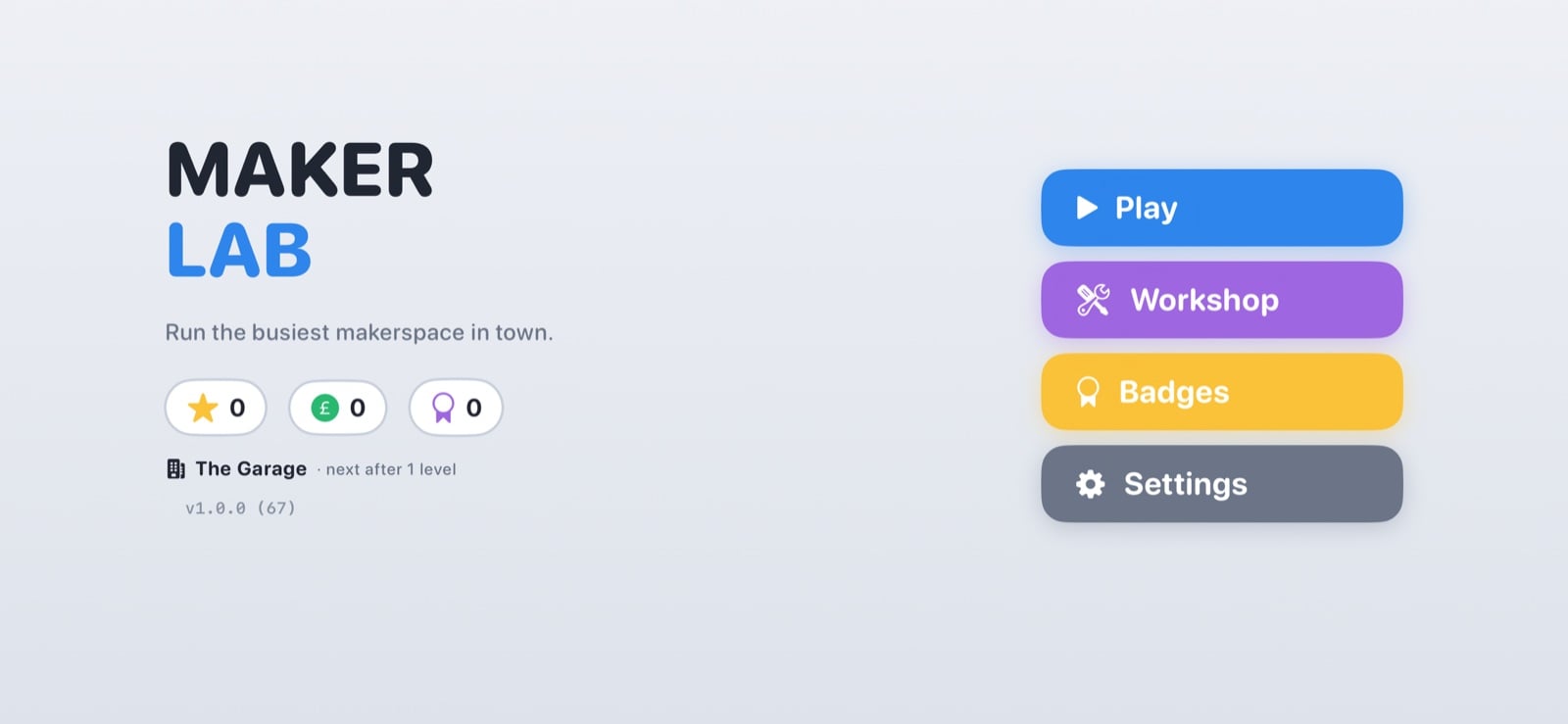 The main menu of Maker Lab, an iPhone makerspace game assembled without hand-written code
Retention here is spatial rather than numeric, which is the design decision worth borrowing. The room is the reward. It starts as a lock-up garage with breeze-block walls, an oil stain and a rusty bike against the wall. Each level cleared makes the room better: junk goes out, shelving arrives, and the bike is finally restored and lit as the centrepiece of the studio. Ten levels, ten rooms.
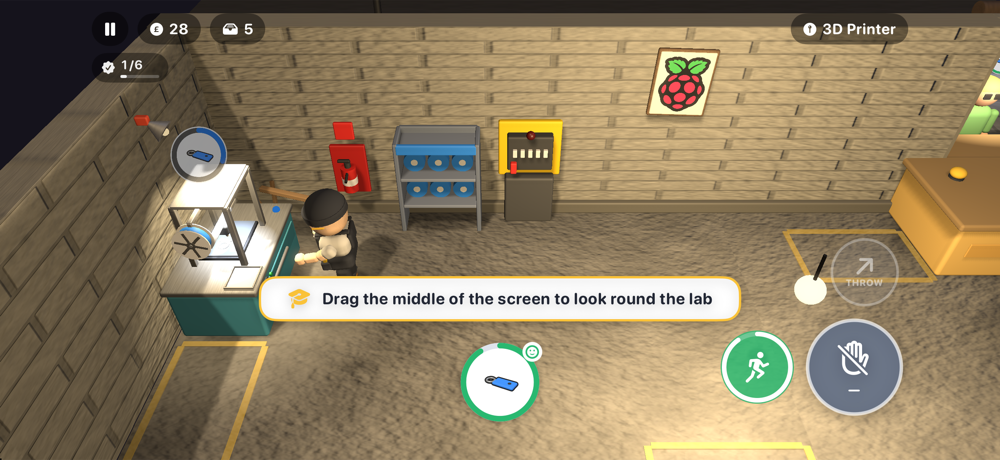 The starting state of the workspace: a scruffy garage, a bare bulb, and one 3D printer
Failure modes then escalate on a schedule, and this is where the operations analogy becomes concrete. From level five, machines begin to jam, and a jam left too long catches fire. From level nine, the power starts to trip, but the breaker is in the far corner. The hand benches keep working, though, because hands never need electricity. Clear all ten levels and something changes on the character screen, which is not being disclosed here.
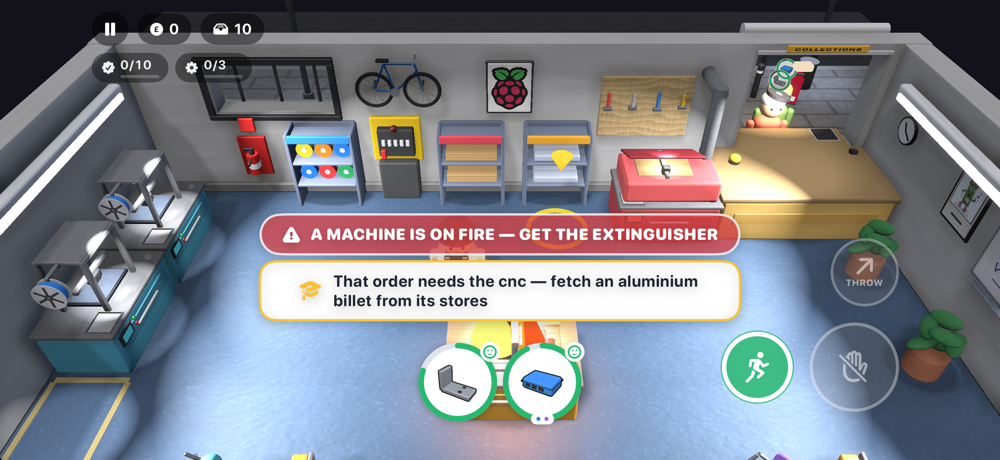 An ignored jam escalates into a fire the player has to extinguish
Implementation path: the six practices that made the agent usable
Through work, the builder had access to Claude Fable, Anthropic’s top-tier model, and used it as a coding agent in Claude Code. Because the agent had the project folder, it could build the app, run the tests, launch it in the iOS Simulator and look at screenshots of what it had made. The human sat next to it like a very opinionated producer. Six practices carried the result.
- Describe the application, not the code. A couple of paragraphs formed the first prompt, and the first commit produced a playable Level one.
- Play it, complain, and repeat. Most of the 144 commits came from testing on a phone and reporting symptoms in plain language, for example, “I can’t tell which printer is free”.
- Make it test its own work. There are 416 automated tests. On every run, a bot plays all ten levels with no screen, verifies that each one can be cleared, and checks that three stars stay out of reach on the last three, leaving something for a human to chase.
- Give it a memory. An agent starts every session knowing nothing about yesterday, so a short file called AGENT_CONTEXT.md holds the decisions, and every session reads it first. That is the difference between having a collaborator and a very clever goldfish.
- Run the whole asset pipeline through the same loop. Even the sound came out of it: every click, bell, and motor hum is synthesised by a Python script, with not one recorded sample.
- Keep the scope absorbable. A twelve-day window is also a specification: it forces one clear mechanic per iteration instead of a platform.
Cost and capability tiers: cloud agent, local board, attached accelerator
The transferable point for AI application owners is that the method is not tied to the premium tier. Maker Lab has 3D graphics, physics, audio, and a test suite, putting it at the hard end of what these tools do well. Even so, the approach works at every level of the stack, including on a Raspberry Pi on your desk.
| Tier | Configuration | Where it fits an AI application programme | Trade-offs |
|---|---|---|---|
| Top-tier cloud agent | Claude Fable (Anthropic) driven as a coding agent in Claude Code, with the project folder, tests and iOS Simulator screenshots in reach | Full application builds where logic, physics, audio and acceptance tests all have to land together | Account, subscription and per-prompt cost; dependent on connectivity |
| Local small model | Raspberry Pi 5 with 8GB or 16GB of RAM running a small open-weight model via Ollama or llama.cpp | Classrooms, code clubs, kitchen tables, and pilots that must stay local: no account, no subscription, nothing to pay per prompt, works with the Wi-Fi switched off | Slower than the cloud and nowhere near as clever; best for contained scopes |
| Attached accelerator | Raspberry Pi AI HATs: AI HAT+ for vision tasks such as spotting people and objects in a camera feed; AI HAT+ 2, where a Hailo-10H accelerator brings 40 TOPS of inferencing performance and 8GB of its own memory | Edge vision and small language models, including a coding model called Qwen2.5-Coder, while taking the load off the Raspberry Pi itself | Extra hardware, budget line and configuration to manage |
For small applications, the local tier is plenty. Ask it for a Pygame game where a cat catches falling fish; then run it and ask it to make the fish faster every ten points. That is the same describe, play, complain loop used for Maker Lab, only smaller — and it is the cheapest way for a team to learn the habits before touching production systems.
Common misconceptions to clear before scoping the next pilot
- “Only the expensive model can do this.” The case ran on a top-tier model, but the method holds on a Raspberry Pi 5 with a small open-weight model.
- “One good prompt is the job.” A short prompt produced a playable Level one; the remaining work in those 144 commits came from iteration against a real screen.
- “The agent remembers what it decided.” It does not. Every session starts from zero unless a context file is read first.
- “Testing is a phase at the end.” Here, self-verification was the delivery mechanism: 416 automated tests acted as the acceptance gate on each cycle.
- “This only helps with code.” Audio, too, came from the loop: synthesised by Python, with not one recorded sample.
- “Small scopes are not worth automating.” Start with One screen, one mechanic, one afternoon — that is where the workflow becomes muscle memory.
Business value, distribution and why this product is free
Maker Lab is free, with no adverts and no in-app purchases. Just one button in the settings opens a JustGiving page for Alzheimer’s Society. The rationale is functional rather than sentimental: games of this type ask a lot of your head. You have to hold three orders in mind while crossing the room, planning a route through the machines, and spotting a jam out of the corner of your eye. Working memory, planning, and attention are all required, and all are things dementia takes away from people, and from those who love them. A phone game is not a cure for anything, but if you enjoy it, donating a few pounds to the people trying to understand dementia is a good trade.
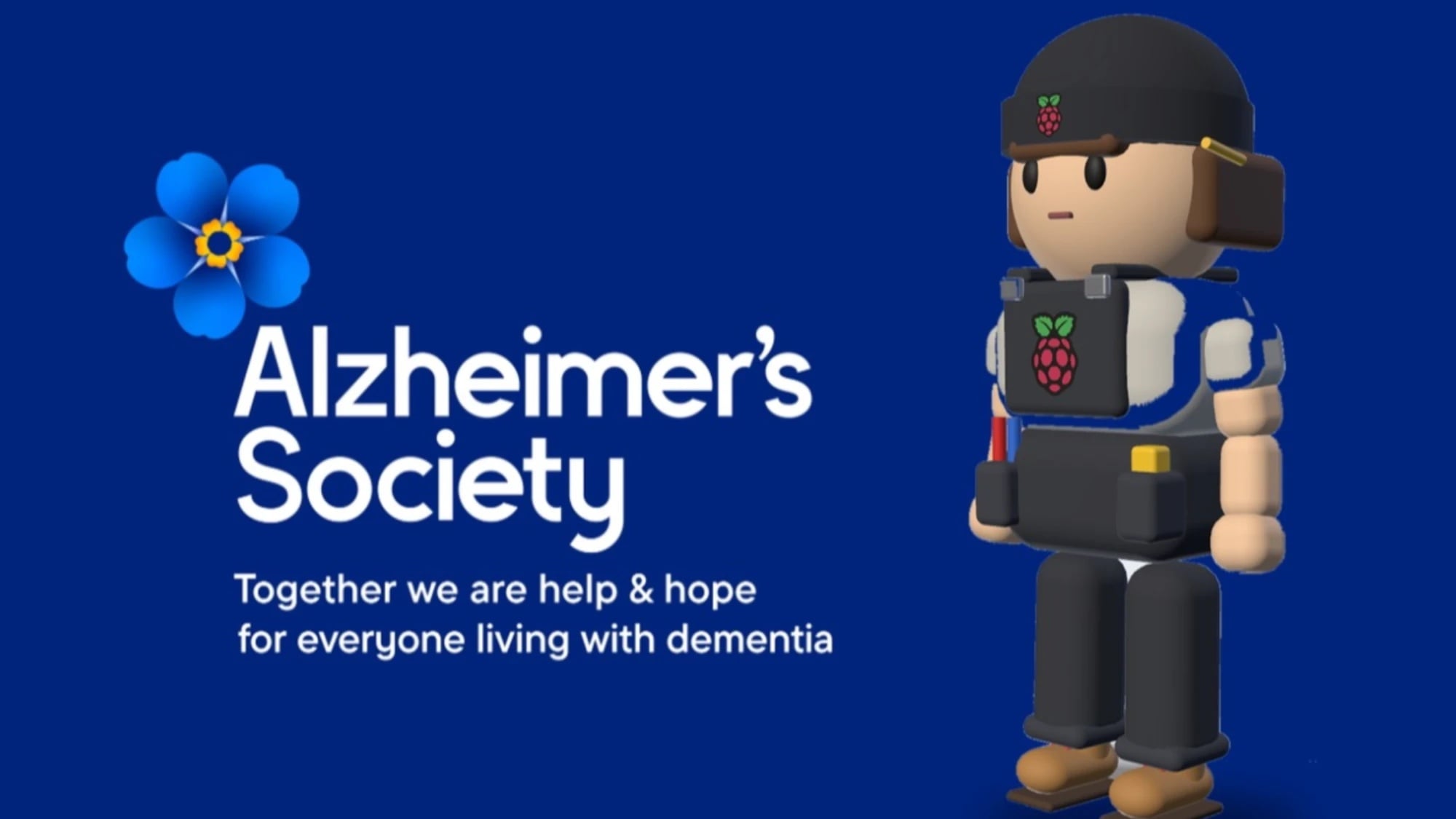 A single settings button routes players to the Alzheimer’s Society donation page
The project is also a career narrative. It is loosely based on the builder’s own story, from tinkering in a garage to becoming Maker in Chief at Raspberry Pi, one cleared-out corner at a time, and a parent’s Alzheimer’s diagnosis gives that small button a weight out of proportion to its size. For anyone commissioning AI applications, the reminder is that tooling choices are never neutral: they carry the maker’s priorities, and their constraints, into the shipped product.
Checklist: what to confirm before the pilot starts
Every item below maps to something this build either had or could not succeed without.
- A scope of One screen, one mechanic, one afternoon for the first iteration.
- A written intent brief describing the feel you want, rather than the code you think you need.
- A named reviewer who plays or demos the output after every change.
- A decision file the agent reads first, so nothing has to be re-explained daily.
- Automated checks the agent runs against its own work, including the failure paths.
- A fallback tier for cost, accounts or connectivity — the local option above.
- A stated boundary for what the tooling is not being asked to decide.
FAQ
Do we need the top-tier model to start?
No. Maker Lab sits at the hard end of what these tools do well — 3D graphics, physics, audio and a test suite — and the approach still works at every level, including on a Raspberry Pi on your desk. Begin where your budget and data rules already are.
How is consistency maintained across days of work?
With an explicit memory artefact. An agent starts every session knowing nothing about yesterday, so decisions live in a short file, AGENT_CONTEXT.md in this case, that each session reads first.
What does the human actually do?
Intent, taste and acceptance. The human describes what the application should feel like, plays the result, complains in user language, and refuses anything that has not passed its own tests.
How much automated verification is enough?
Enough that a machine can prove the thing is finishable without looking at it: 416 automated tests, and On every run a bot clears all ten levels headless while leaving three stars unreachable on the last three for humans.
Where are the limits of this workflow?
Deciding what good looks like, and claiming more than the tooling can demonstrate. Nothing in the twelve-day build replaced the judgement of what felt right; and a phone game is not a cure for anything. Keep AI application claims inside what you can actually verify.
Action recommendations for AI application teams
- Pick the smallest complete surface, not the smallest feature: something a user can play, read or approve end to end.
- Instrument the loop before scaling it: describe, build, run, complain, retest, then widen scope.
- Price two tiers, not one: compare the cloud agent against the local board so cost and residency become decisions rather than surprises.
- Make the agent prove its work: tests, logs and screenshots are cheaper than review hours.
- Leave a human on taste and truth, and write that boundary into the pilot charter.
Maker Lab is out now, free on the App Store, and the unfinished edge is still visible — level eight continues to need play-testing. Now take that as the instruction for your own AI application backlog: choose the smallest surface you can honestly verify, run the loop in public, and let the improved room be the reward. If you want to see the format demonstrated end to end, Maker Faire is the natural place to look.
Analysis for the AIapplications desk by James Hartley, ItInsightsWorld.