
ItInsightsWorld AIapplications: Colorfigures Turns Plain Prompts Into Interactive Isometric Machines
Colorfigures can be treated as an application-layer prompt-to-prototype tool: the assistant receives a simple object description and returns an isometric drawing that behaves like a machine, with clickable controls, full rotation, see-through internals, and labels.
Why this matters in an AI application
The skill produces figures in a hand-inked visual style. Each output can be rotated through a full circle, opened in see-through mode to reveal the working mechanism, and labelled so parts light up while the machine runs. The public demonstration includes 26 objects, and each sample comes from its prompt in a fresh install rather than from hand-written code.
Example object outcomes
The sample prompts cover a gumball machine that accepts a coin and turns a crank, an electric kettle that heats and then switches itself off, and a record player that plays after a disc is placed and the needle is dropped.
Pre-deployment checklist
- Choose a mechanical subject with pressable controls: appliances, vending machines, arcade machines, toys, signs, or kiosks.
- Use a fresh installation when validating output quality.
- If the assistant does not appear to use the skill, restart the app and name the skill directly: use the colorfigures skill to draw a gumball machine.
- Check that the installation folder includes SKILL.md, README.md, LICENSE, assets, and scripts.
- Plan revisions in the same chat, such as make the door open further or add a coin return.
Platform install paths compared
The project page is april-zhu.com, and the source can also be reviewed on GitHub. For Claude, ChatGPT, and Gemini, the guide is organized as Three steps and about a minute.
| Platform | Route shown | Supporting notes |
|---|---|---|
| Claude | Claude Code or Claude.ai | A manual package is also listed. The manual package works on Windows, macOS and Linux. On a Mac, the guide points to Terminal. |
| ChatGPT | Upload path | Codex and Codex CLI use a comparable folder path. |
| Gemini | Gemini app or Gemini CLI | They can use a Gemini version of the package or a folder path. |
Rollout steps for a first pilot
- Select one everyday device that has visible moving parts.
- Install the skill through the package or folder path that matches the assistant in use.
- Ask for the object in plain language; if the skill does not activate, name it in the request.
- Open the generated single HTML file in a browser and test rotation, see-through behaviour, button interaction, labels, and the phone view.
- Refine the object by continuing in the same chat rather than starting from scratch.
Time and token budget
A figure takes about 15 to 30 minutes and roughly 200,000 to 400,000 tokens per figure in Claude Code. Most effort goes into modelling the object from every side and building its see-through from how the real machine works. The assistant then checks several angles, see-through behaviour, and a phone view before fixing issues. In a fresh test run, a parking meter with a see-through containing about 20 labelled parts took around 15 minutes and 230,000 tokens. Dense machines or scenes with several objects take longer. Later changes requested in the same chat are much quicker. On a Claude plan this counts toward usage; on the API it is billed per token.
Colour and visual controls
Every figure includes body-colour swatches: tomato, mustard, mint, cobalt, and blush. A hand-drawn wobble slider is also available, and a specific colour can be requested from the assistant.
Prompts suitable for a first test
- Ask how a toaster knows when to pop and request the result as a Colorfigure.
- Ask for a bike pump filling a tyre with a see-through valve.
- Ask for a parcel locker wall where typing a code makes the right door open.
Demo gallery: more outputs
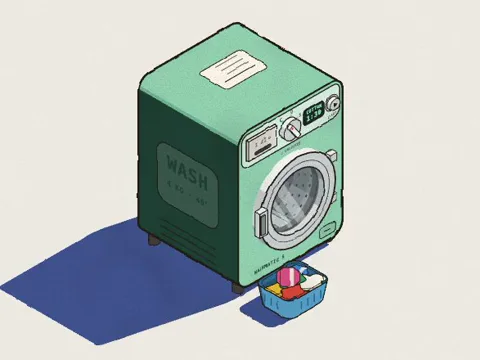
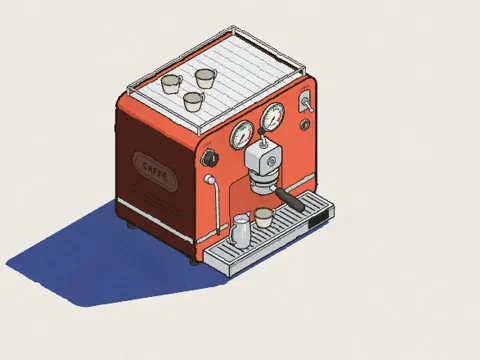
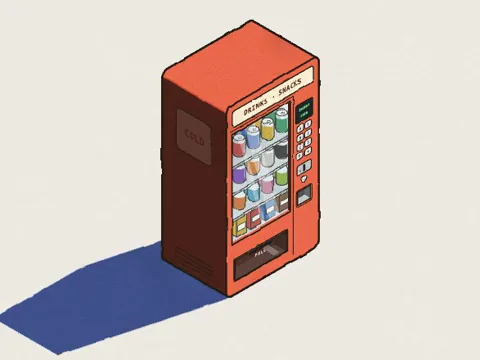
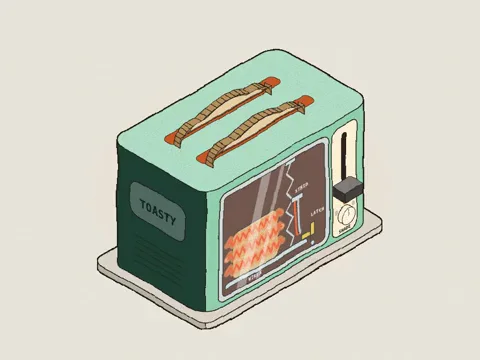
In the gallery, hovering reveals one motion. Opening an item lets a user press its controls.
- Washing machine:
- Espresso machine:
- Vending machine:
- Toaster:
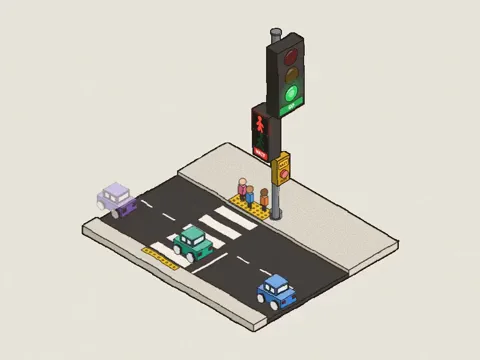
- Traffic light:
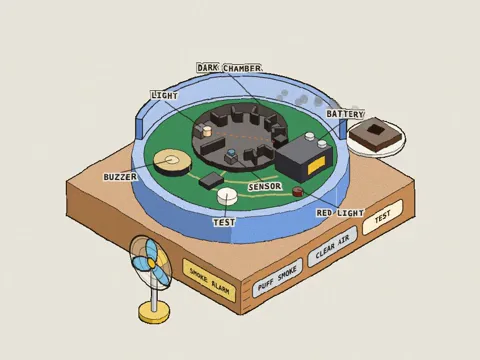
- Smoke alarm:
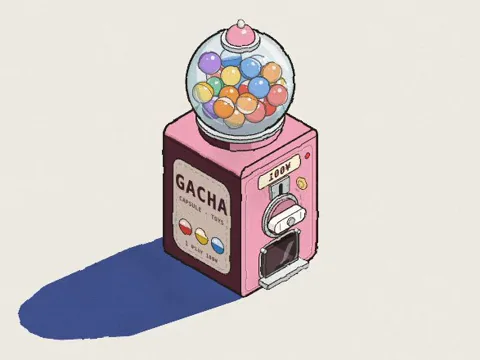
- Capsule toy machine:
- Music box:

FAQ for AI application owners
What is a skill here?
A skill is a small folder of instructions and templates that teaches an AI how to do one job well. It is not an app, and it does not run by itself; the AI reads it when asked for work within its scope.
Which objects work best?
Machines and devices with parts you can press are strongest: appliances, vending and arcade machines, toys, signs, and kiosks. Mechanical figures can rotate through a full circle and include a See-through switch that exposes the working parts inside, labelled and moving with the buttons. Soft, organic subjects such as people, animals, and plants do not fit the style well.
Is installation safe to review?
The package is eight small plain-text files, about 220 KB: instructions, the drawing engine, three example figures, a build script, a readme, and a licence. Installation only copies the files; nothing runs, and there are no packages or dependencies. Each generated figure is a single HTML file that runs in the browser like any web page, without tracking, accounts, or outside requests. SKILL.md can be opened in any text editor before installation.
Can outputs be used commercially?
Yes. The skill is MIT licensed, and figures made with it may be used commercially, including in paid and client work.
Do I need to code?
No. Describe the object in ordinary words. For changes, remain in the same chat and request concrete mechanical adjustments such as make the door open further or add a coin return.
Common misconceptions
| Assumption | What the article shows |
|---|---|
| A skill is a standalone application. | It is an instruction folder read by an assistant when relevant. |
| Installing the skill executes code. | Installation copies plain-text files; nothing runs automatically. |
| Any object will suit the visual style. | Pressable mechanisms work best; people, animals, and plants do not. |
| Each figure is generated instantly. | A fresh figure can take 15 to 30 minutes and large token usage. |
| Commercial output needs extra permission. | The MIT licence allows paid and client use of generated figures. |
Action recommendations
- Use Colorfigures for interactive explainers where rotation, internals, and pressed controls communicate function better than a static image.
- Begin with one simple mechanical object before asking for dense machines or multi-object scenes.
- Review the plain-text package and the generated HTML before wider distribution.
- Track time and token spend against the stated ranges, especially when evaluating API usage versus a Claude plan.
- Keep iterative requests in the same conversation to benefit from the quicker follow-up pattern.
Editorial takeaway
For AIapplications readers assessing prompt-driven interactive artefacts, Colorfigures illustrates how an application-layer skill can turn a plain description into a browser-ready demonstration. Its adoption boundary is practical: it is strongest on mechanical objects, depends on a time and token budget, and should be inspected as a text-based MIT-licensed package before being used in customer-facing material.